

AI for CAD Tools
Discover how AI is transforming CAD software for mechanical engineers in 2026. Learn what is real, what is hype, and how teams are using AI to design faster and smarter.
·
⏱
8 min read

Michelle Ben-David
Michelle Ben-David is a mechanical engineer and Technion graduate. She served in an IDF elite technology and intelligence unit, where she developed multidisciplinary systems integrating mechanics, electronics, and advanced algorithms. Her engineering background spans robotics, medical devices, and automotive systems.
BOTTOM LINE
AI is not replacing your CAD software -- it is making the entire engineering stack smarter. The real gains come from faster information retrieval, better part reuse, cited technical answers, and preserved institutional knowledge.
Teams that add an AI intelligence layer to their existing tools are designing better products in less time, with fewer costly mistakes. If your engineers are still spending hours searching for parts, chasing down specs, or recreating designs that already exist somewhere in the vault, it may be time to see what purpose-built engineering AI can do.
The CAD software stack for mechanical engineers has stayed remarkably consistent for decades. SolidWorks, CATIA, Creo, NX, Inventor -- these platforms remain the backbone of product design and development. But in 2026, something is shifting beneath the surface.
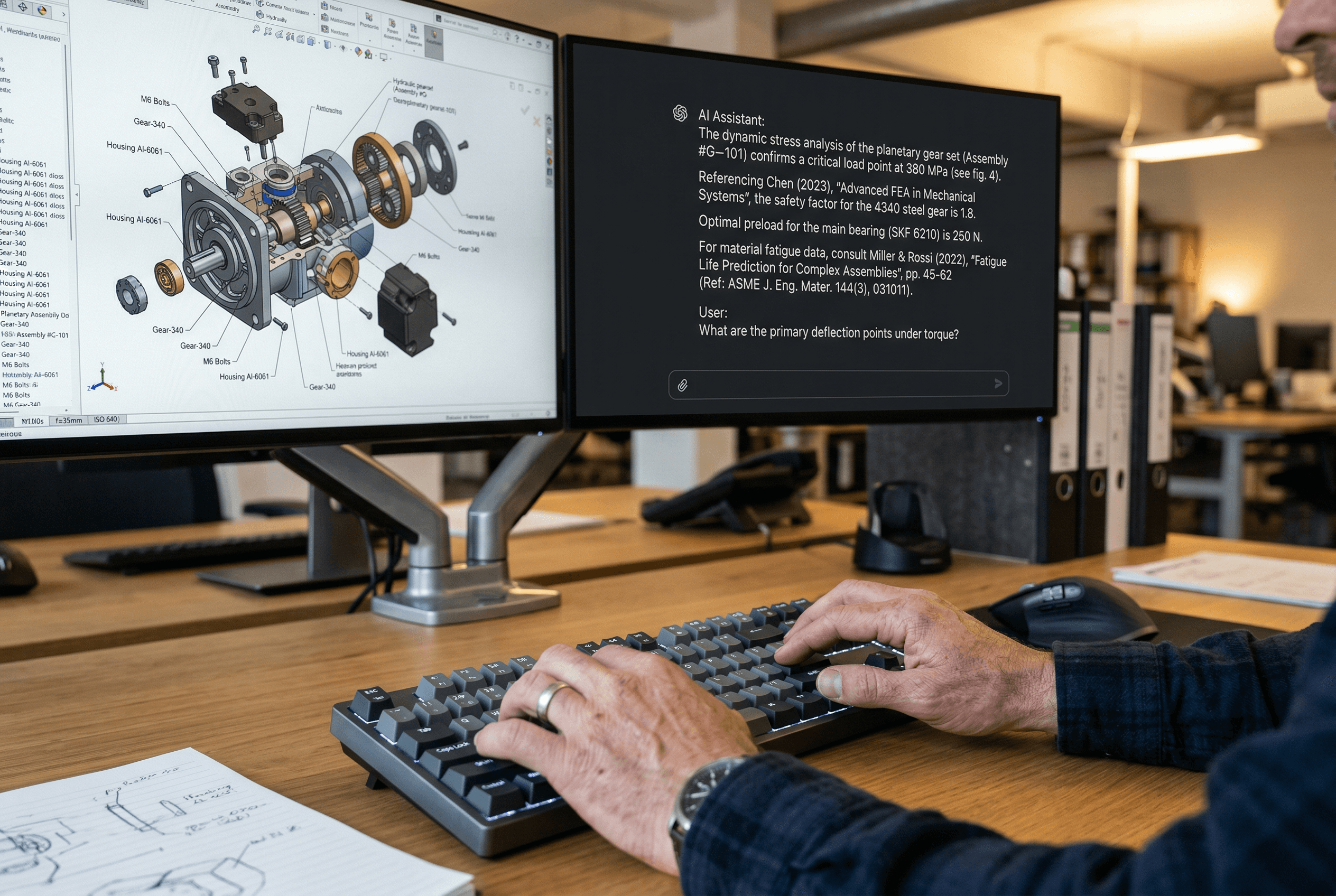
AI is not replacing CAD. Instead, it is becoming the intelligence layer that makes the entire engineering stack more productive. Engineers no longer need to spend hours searching for past designs, validating material properties against standards, or tracking down specifications buried deep in a PDM vault. The right AI tools let them get reliable answers in seconds -- with citations they can actually verify.
This guide breaks down how AI is reshaping cad software for mechanical engineering in 2026. We will look at what has actually changed, what engineers need from AI-powered tools, and where the real productivity gains are happening.
The Traditional CAD Stack and Where It Falls Short
Most mechanical engineering teams run a stack that looks something like this: a CAD platform for 3D modeling (SolidWorks, Creo, CATIA, NX, or Inventor), a PDM or PLM system for version control and data management, simulation tools for validation, and a collection of spreadsheets, email threads, and shared drives for everything else.
This stack is powerful for creating and managing geometry. But it was never designed to help engineers find and reuse what they have already built. Search in most PDM systems is limited to exact file names, part numbers, or metadata fields. If you do not know the exact identifier, you are effectively blind to decades of institutional design history sitting in the vault.
The result is predictable: parts get redesigned from scratch when a suitable one already exists, senior engineers get interrupted constantly to answer questions that could be answered by existing documentation, and tribal knowledge walks out the door every time someone leaves the company. Industry research has estimated that engineering teams spend up to 30% of their time searching for information rather than designing.
This is not a CAD software problem. It is an information access problem. And that is exactly where AI fits in.
IN PRACTICE
What Engineers Are Saying
"It's the only AI for Mechanical Engineers that actually understands CAD, PLM, and the realities of enterprise design work. With Leo, our team improves design quality, reduces mistakes, and shortens time-to-market. Instead of wasting hours on repetitive searches and calculations, we focus on making better products and leading our category."
-- Uriel B., Field Warfare and Survivability Specialist
How AI Is Changing the Game for CAD Software
The meaningful AI developments in mechanical engineering are not about replacing CAD modeling. They are about filling the gaps that CAD platforms were never built to address.
The biggest shift is in how engineers access information. AI-powered tools now enable natural language search across PDM vaults. Instead of typing a part number into a search box, an engineer can describe what they need -- a stainless steel bracket, 50mm wide, used in the cooling assembly -- and get relevant results from their organization's own design history.
Geometry-aware search takes this further. Some tools now support text-to-CAD and CAD-to-CAD search, where you can describe a part or upload a model and find geometrically similar components across the vault. Engineering teams are already using this to reduce part proliferation and cut BOM costs.
Technical Q&A with citations is another area where AI is proving valuable. Instead of relying on a general-purpose chatbot that may hallucinate technical details, purpose-built engineering AI can answer questions about materials, tolerances, standards, and best practices while pointing to the specific source -- whether that is an ASME standard, a textbook, or your own organization's design guidelines.
Automated calculations with transparent logic round out the picture. When an AI tool shows its Python-based calculation steps alongside the result, engineers can verify the work rather than blindly trusting a black box output.
What Engineers Need from AI-Powered CAD Tools
Not every AI tool marketed to engineers delivers real value. Here is what separates the tools that actually help from the ones that just add complexity.
Integration with existing workflows. If your team uses SolidWorks PDM and Teamcenter, the AI tool needs to connect to those systems natively. Leo AI offers integrations with leading PDM and PLM platforms, including SolidWorks PDM, Autodesk Vault, PTC Windchill, Siemens Teamcenter, and Arena PLM. Asking engineers to switch platforms or duplicate data into a separate system is a non-starter for most teams.
Access to your organization's data. A general-purpose AI trained on public internet data cannot tell you which bracket design was approved for your thermal management assembly last quarter. The AI needs to index your PDM, PLM, and internal documentation to be genuinely useful. Leo AI connects to an organization's full knowledge base, including PDM systems, PLM systems, local directories, network directories, and ERP systems.
Traceable and cited answers. When an AI recommends a material or a tolerance, the engineer needs to see where that recommendation came from. Leo AI is trained on over one million pages of industry standards, books, and articles, and provides source citations with every answer. This is especially critical in regulated industries like aerospace, defense, and medical devices.
Security and IP protection. Engineering data is among the most sensitive intellectual property a company holds. Leo AI is SOC 2 certified and GDPR compliant. No AI is trained on customer data, and customer IP is protected and never shared.
Real-World Impact on Engineering Teams
The shift is not hypothetical. Engineering teams across industries are already seeing measurable results from adding AI to their CAD workflows.
At ZutaCore, a company building liquid cooling systems for data centers, the engineering team was spending three days of engineering thinking per project to solve a recurring pipe adjustment problem -- plus paying for custom manufacturing on every unit. After introducing AI into their workflow, the tool suggested a nature-inspired solution the team would not have considered on their own. Standard off-the-shelf parts replaced custom-manufactured components, saving around $400 per system and freeing up a dedicated engineer per project.
Oberman Industrial Designs, a full-lifecycle product design firm, was outsourcing engineering questions to external consultants at a cost of thousands of dollars per project and days of turnaround time. With AI available around the clock as an engineering resource, the team now gets answers in minutes instead of days. Their CEO estimates the tool cut time on component arrangement tasks by 50 to 70 percent.
In the defense sector, an enterprise team using Siemens Teamcenter and NX found that their existing search tools were practically useless unless you already knew the exact part number. With AI-powered search, engineers could describe a part geometrically or by function and find relevant components from their own design history. The team started reusing parts they did not even know they had, with real downstream impact on procurement and BOM costs.
At North Central State College, Professor Michael Beebe ran a controlled experiment with engineering students. Using AI alongside their traditional CAD workflow, students designed a structurally comparable bridge using fewer materials and in half the time. The professor now calls AI a team member, not a tool, because of the back-and-forth collaborative dynamic it enables.
Keep Reading: AI for Mechanical Engineers: The Complete Guide · CAD Software and AI for Mechanical Engineering · SolidWorks vs CATIA vs Creo: AI Comparison · DFM Analysis Tools with Instant Feedback
Evaluating AI for Your CAD Workflow
If your team is considering adding AI to the engineering stack, these are the questions worth asking before making a decision.
Does it connect to your existing PDM and PLM systems? The value of engineering AI comes from accessing your organization's data. A tool that requires manual data uploads or only works with one specific platform will limit adoption and reduce ROI.
Does it understand engineering context? General-purpose AI tools can answer broad questions, but they lack the domain-specific training needed for reliable mechanical engineering work. Look for tools trained on industry standards, engineering textbooks, and technical documentation -- not just web data.
Does it provide cited, verifiable answers? In engineering, trust is built on traceability. The AI should show where its answers come from so engineers can verify before acting on a recommendation.
Is your intellectual property protected? Ask about SOC 2 certification, data handling practices, and whether the AI trains on your data. These are not optional considerations -- they are requirements for any tool that will touch your design files and engineering knowledge.
Can your team adopt it without disrupting existing workflows? The best AI tools fit into how your team already works. If adoption requires a major platform migration or workflow overhaul, the friction may outweigh the benefits.
FAQ
CIMdata, "Engineering Information Management: The Competitive Advantage," 2023
Try Leo AI Free Today
See how AI helps your team find answers and design faster.
Leo AI connects to your PDM and PLM, giving engineers instant access to cited answers, geometry-aware part search, and your full engineering knowledge base.
Schedule a Demo →

#1 New AI Software Globally - G2 2026

Enterprise-grade security

Trusted by world-class engineering teams



