Best AI for CAD Design

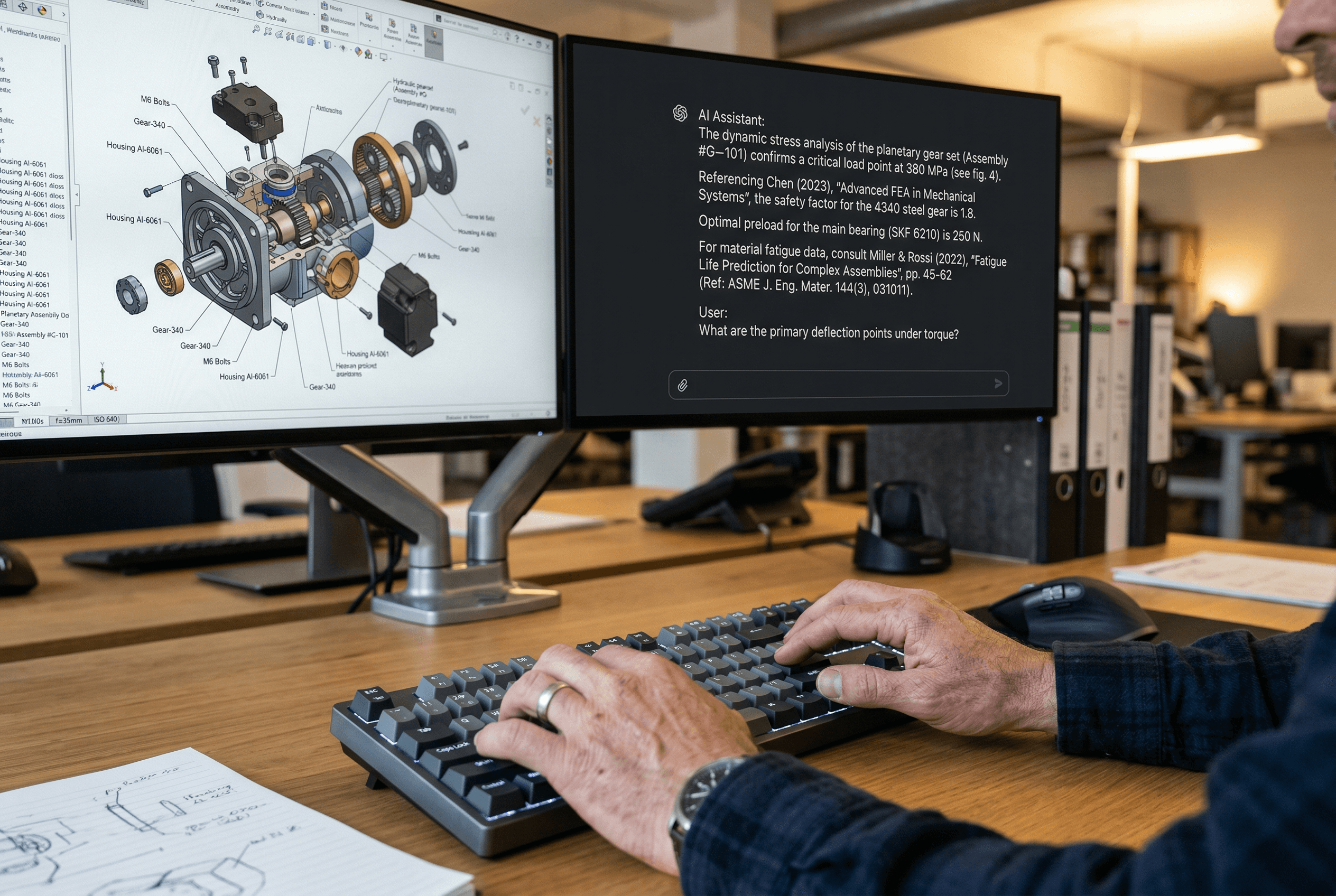
There are two kinds of AI for CAD: tools that build geometry faster, and tools that understand what your geometry means. Here is how the best ones compare.

Best AI for CAD Design

There are two kinds of AI for CAD: tools that build geometry faster, and tools that understand what your geometry means. Here is how the best ones compare.

Liran Silbermann, for Leo AI Marketing

What "AI for CAD" Actually Means in 2026

There are two meaningfully different things that "AI for CAD" can mean:

AI that helps you build geometry faster. Command prediction, parametric automation, constraint suggestions, generative topology. The CAD software vendors, Dassault (SOLIDWORKS), Autodesk, Siemens, PTC, are all adding these features natively. Some are genuinely useful. Most are incremental improvements to the modeling experience.

AI that understands what your geometry means. Reads the features, understands the design intent, connects a part to your org's history of similar parts, surfaces the failure mode from three programs ago, flags the DFM issue before it gets to the shop floor. This is fundamentally different work, and it's where specialized engineering AI pulls ahead of native CAD vendor AI by a significant margin.

Most teams who ask "what's the best AI for CAD design" are asking the second question even when they frame it as the first. They want to stop losing time searching for answers. They want new engineers to ramp up faster. They want design mistakes caught before they're expensive.

Here's how the main options compare on both dimensions.

What "AI for CAD" Actually Means in 2026

There are two meaningfully different things that "AI for CAD" can mean:

AI that helps you build geometry faster. Command prediction, parametric automation, constraint suggestions, generative topology. The CAD software vendors, Dassault (SOLIDWORKS), Autodesk, Siemens, PTC, are all adding these features natively. Some are genuinely useful. Most are incremental improvements to the modeling experience.

AI that understands what your geometry means. Reads the features, understands the design intent, connects a part to your org's history of similar parts, surfaces the failure mode from three programs ago, flags the DFM issue before it gets to the shop floor. This is fundamentally different work, and it's where specialized engineering AI pulls ahead of native CAD vendor AI by a significant margin.

Most teams who ask "what's the best AI for CAD design" are asking the second question even when they frame it as the first. They want to stop losing time searching for answers. They want new engineers to ramp up faster. They want design mistakes caught before they're expensive.

Here's how the main options compare on both dimensions.

For Geometry Creation and Modeling Assistance


 ► SOLIDWORKS AURA (3DEXPERIENCE)

AURA is embedded in the 3DEXPERIENCE platform and functions as a conversational assistant for SOLIDWORKS. It can walk you through creating features, suggest constraints, and help debug mate issues in assemblies. It's useful for engineers new to SOLIDWORKS or those who want command-line speed without memorizing every menu path.

It does not know your company's design standards, your PDM content, or your previous programs. Ask it "why did we choose 4140 steel for the shaft on Program X?" and it has no answer. Ask it "how do I create a variable-pitch helix in SOLIDWORKS?" and it's genuinely helpful.


► Autodesk Generative Design (Fusion)

Define your constraints, load cases, material, manufacturing method, safety factor, and Generative Design produces topology-optimized geometry candidates. Particularly useful for aerospace and automotive components where weight is a primary driver. Returns multiple design alternatives ranked by performance metrics.

Limitations: it's a concept exploration tool. The output geometry often needs significant manual cleanup before it's manufacturable. And it does nothing for the knowledge retrieval, part reuse, or design quality problems that consume most engineering teams' non-modeling time.


► PTC Creo GDX

Similar to Autodesk's offering but returns editable B-rep directly into Creo rather than mesh. If your team is committed to the Creo/Windchill stack, this is the cleaner integration path for generative exploration.

For Understanding What Your Geometry Means

This is Leo AI's territory, and nothing else in the current market covers it the same way.

The technical differentiator: Leo AI holds three granted US patents for its Large Mechanical Model (LMM), which reads native B-rep CAD geometry. Every other AI tool on the market, including the ones with "CAD" in the name, processes images, text metadata, or exported formats. They see a picture of your part. Leo reads the geometry.

Why does this matter? Because the most useful questions in a CAD workflow are geometry-dependent:

"Is there a part in our PLM with a similar flange pattern and bolt circle?", Keyword search can't answer this. Geometric similarity search can.

"Does this boss wall thickness meet our DFM guideline for injection molding?", Text analysis can't answer this. Reading the actual feature dimensions can.

"What material did we use in a structurally similar fatigue-critical location on a previous program?", Generic AI can't answer this. An AI indexed to your PDM and org history can.

At Elbit Systems, engineers were losing hours monthly manually indexing CAD parts, and keyword search returned irrelevant results. Leo recognized geometry from CAD models without manual tagging and connected knowledge across departments. The characterization from the team: "Vast solutions in minutes, from days of conceptual research to instant results."

For Design Inspection and Quality


► Leo Inspect

One-click assembly inspection covering DFM violations, part selection issues, and standards compliance simultaneously. Each flag cites the specific standard, guideline, or internal rule that applies. Part recommendations prioritize existing validated PLM parts before suggesting external alternatives.

The distinction from generic rule-checkers: Leo checks against your org's internal guidelines in addition to external standards. A generic DFM checker knows ASME and ISO. Leo knows ASME, ISO, and your internal design rules that are specific to your product lines and manufacturing processes.

► CoLab AutoReview
Strong for teams doing formal, structured design reviews across distributed teams. AutoReview agents run multi-step checks on CAD models and drawings, apply rules consistently, and maintain an audit trail. Works well in regulated environments requiring documented review signoff.

For Geometry Creation and Modeling Assistance


 ► SOLIDWORKS AURA (3DEXPERIENCE)

AURA is embedded in the 3DEXPERIENCE platform and functions as a conversational assistant for SOLIDWORKS. It can walk you through creating features, suggest constraints, and help debug mate issues in assemblies. It's useful for engineers new to SOLIDWORKS or those who want command-line speed without memorizing every menu path.

It does not know your company's design standards, your PDM content, or your previous programs. Ask it "why did we choose 4140 steel for the shaft on Program X?" and it has no answer. Ask it "how do I create a variable-pitch helix in SOLIDWORKS?" and it's genuinely helpful.


► Autodesk Generative Design (Fusion)

Define your constraints, load cases, material, manufacturing method, safety factor, and Generative Design produces topology-optimized geometry candidates. Particularly useful for aerospace and automotive components where weight is a primary driver. Returns multiple design alternatives ranked by performance metrics.

Limitations: it's a concept exploration tool. The output geometry often needs significant manual cleanup before it's manufacturable. And it does nothing for the knowledge retrieval, part reuse, or design quality problems that consume most engineering teams' non-modeling time.


► PTC Creo GDX

Similar to Autodesk's offering but returns editable B-rep directly into Creo rather than mesh. If your team is committed to the Creo/Windchill stack, this is the cleaner integration path for generative exploration.

For Understanding What Your Geometry Means

This is Leo AI's territory, and nothing else in the current market covers it the same way.

The technical differentiator: Leo AI holds three granted US patents for its Large Mechanical Model (LMM), which reads native B-rep CAD geometry. Every other AI tool on the market, including the ones with "CAD" in the name, processes images, text metadata, or exported formats. They see a picture of your part. Leo reads the geometry.

Why does this matter? Because the most useful questions in a CAD workflow are geometry-dependent:

"Is there a part in our PLM with a similar flange pattern and bolt circle?", Keyword search can't answer this. Geometric similarity search can.

"Does this boss wall thickness meet our DFM guideline for injection molding?", Text analysis can't answer this. Reading the actual feature dimensions can.

"What material did we use in a structurally similar fatigue-critical location on a previous program?", Generic AI can't answer this. An AI indexed to your PDM and org history can.

At Elbit Systems, engineers were losing hours monthly manually indexing CAD parts, and keyword search returned irrelevant results. Leo recognized geometry from CAD models without manual tagging and connected knowledge across departments. The characterization from the team: "Vast solutions in minutes, from days of conceptual research to instant results."

For Design Inspection and Quality


► Leo Inspect

One-click assembly inspection covering DFM violations, part selection issues, and standards compliance simultaneously. Each flag cites the specific standard, guideline, or internal rule that applies. Part recommendations prioritize existing validated PLM parts before suggesting external alternatives.

The distinction from generic rule-checkers: Leo checks against your org's internal guidelines in addition to external standards. A generic DFM checker knows ASME and ISO. Leo knows ASME, ISO, and your internal design rules that are specific to your product lines and manufacturing processes.

► CoLab AutoReview
Strong for teams doing formal, structured design reviews across distributed teams. AutoReview agents run multi-step checks on CAD models and drawings, apply rules consistently, and maintain an audit trail. Works well in regulated environments requiring documented review signoff.

The Stack Most Mature Engineering Teams Are Building

Based on deployment patterns and customer conversations, the combination that's showing the clearest results for large engineering organizations:

  • Leo AI as the core knowledge and inspection layer (PDM integration, geometric search, Q&A, Inspect)

  • Native CAD vendor AI (AURA, NX AI) for in-modeling assistance

  • ANSYS Discovery for rapid simulation during concept design

  • CoLab or Leo Inspect for formal pre-release review

These tools don't overlap significantly. Each covers a distinct phase and problem type. The question isn't which one to choose; it's which one to start with based on where the pain is highest.

For most organizations: start with Leo AI because the knowledge retrieval and part search problems are universal and immediate. The value is visible within the first week of deployment.

The Stack Most Mature Engineering Teams Are Building

Based on deployment patterns and customer conversations, the combination that's showing the clearest results for large engineering organizations:

  • Leo AI as the core knowledge and inspection layer (PDM integration, geometric search, Q&A, Inspect)

  • Native CAD vendor AI (AURA, NX AI) for in-modeling assistance

  • ANSYS Discovery for rapid simulation during concept design

  • CoLab or Leo Inspect for formal pre-release review

These tools don't overlap significantly. Each covers a distinct phase and problem type. The question isn't which one to choose; it's which one to start with based on where the pain is highest.

For most organizations: start with Leo AI because the knowledge retrieval and part search problems are universal and immediate. The value is visible within the first week of deployment.

What This Looks Like in Practice

Scenario: New Engineer Designing a Mounting Bracket


· Day 1 without AI:

Junior engineer spends 3 hours searching PDM for similar existing brackets. Doesn't find the right one because the search is keyword-based and the part was named inconsistently 4 years ago. Designs new bracket from scratch. Creates new part number.


· Day 1 with Leo AI:

Engineer selects the envelope geometry in CAD, runs Leo's geometric part search. Gets results in 45 seconds showing 7 similar brackets with dimensional comparison, commonality data (how many products each appears in), and the design notes from when each was created. Finds a 94% geometric match with an existing validated part.
New part not needed. New tooling not needed. New vendor qualification not needed.

Then runs Leo Inspect on the assembly: catches a draft angle violation on one of the walls before the drawing is released to manufacturing.

Total time: 30 minutes including review. Without AI: 3 hours plus a DFM issue discovered at the quote stage.

What This Looks Like in Practice

Scenario: New Engineer Designing a Mounting Bracket


· Day 1 without AI:

Junior engineer spends 3 hours searching PDM for similar existing brackets. Doesn't find the right one because the search is keyword-based and the part was named inconsistently 4 years ago. Designs new bracket from scratch. Creates new part number.


· Day 1 with Leo AI:

Engineer selects the envelope geometry in CAD, runs Leo's geometric part search. Gets results in 45 seconds showing 7 similar brackets with dimensional comparison, commonality data (how many products each appears in), and the design notes from when each was created. Finds a 94% geometric match with an existing validated part.
New part not needed. New tooling not needed. New vendor qualification not needed.

Then runs Leo Inspect on the assembly: catches a draft angle violation on one of the walls before the drawing is released to manufacturing.

Total time: 30 minutes including review. Without AI: 3 hours plus a DFM issue discovered at the quote stage.

Try It on Your Own Data

The part search scenario above is something Leo's team will run live against your actual PDM during a demo. You bring a CAD file. They run a geometric similarity search in real time. You see what comes back from your own design history.

If you want to see where the gaps are before committing to anything, that is the right starting point.

Get started or schedule a demo now!

Try It on Your Own Data

The part search scenario above is something Leo's team will run live against your actual PDM during a demo. You bring a CAD file. They run a geometric similarity search in real time. You see what comes back from your own design history.

If you want to see where the gaps are before committing to anything, that is the right starting point.

Get started or schedule a demo now!

Does Leo AI work if our PDM has years of messy, inconsistently named data?

What CAD systems does Leo AI integrate with?

Can AI replace a DFM review with a manufacturing engineer?

Glossary

  • B-rep: Boundary Representation

  • LMM: Large Mechanical Model (Leo AI)

  • PDM / PLM: Product Data Management / Product Lifecycle Management

  • DFM: Design for Manufacturability

  • BOM: Bill of Materials

  • CAD: Computer-Aided Design

  • ECO: Engineering Change Order

Glossary

  • B-rep: Boundary Representation

  • LMM: Large Mechanical Model (Leo AI)

  • PDM / PLM: Product Data Management / Product Lifecycle Management

  • DFM: Design for Manufacturability

  • BOM: Bill of Materials

  • CAD: Computer-Aided Design

  • ECO: Engineering Change Order

Subscribe to our engineering newsletter

Be the first to know about Leo's newest capabilities and get practical tips to boost your engineering.

Need help? Join the Leo AI Community

Connect with other engineers, get answers from our team, and request features.

#1 New Software

Globally

All Industries

#12 AI Tool

Worldwide

G2 2026

Contact us

160 Alewife Brook Pkwy #1095

Cambridge, MA 02138

United States

Subscribe to our newsletter

Be the first to know about Leo's newest capabilities and get practical tips to boost your engineering.

Need help? Join the Community

Connect with other engineers, get answers from our team, and request features.

#1 New Software

Globally

All Industries

#12 AI Tool

Worldwide

G2 2026

Contact us

160 Alewife Brook Pkwy #1095

Cambridge, MA 02138

United States

Subscribe to our engineering newsletter

Be the first to know about Leo's newest capabilities and get practical tips to boost your engineering.

Need help? Join the Leo AI Community

Connect with other engineers, get answers from our team, and request features.

#1 New Software

Globally

All Industries

#12 AI Tool

Worldwide

G2 2026

Contact us

160 Alewife Brook Pkwy #1095

Cambridge, MA 02138

United States

Subscribe to our engineering newsletter

Be the first to know about Leo's newest capabilities and get practical tips to boost your engineering.

Need help? Join the Leo AI Community

Connect with other engineers, get answers from our team, and request features.

#1 New Software

Globally

All Industries

#12 AI Tool

Worldwide

G2 2026

Contact us

160 Alewife Brook Pkwy #1095

Cambridge, MA 02138

United States