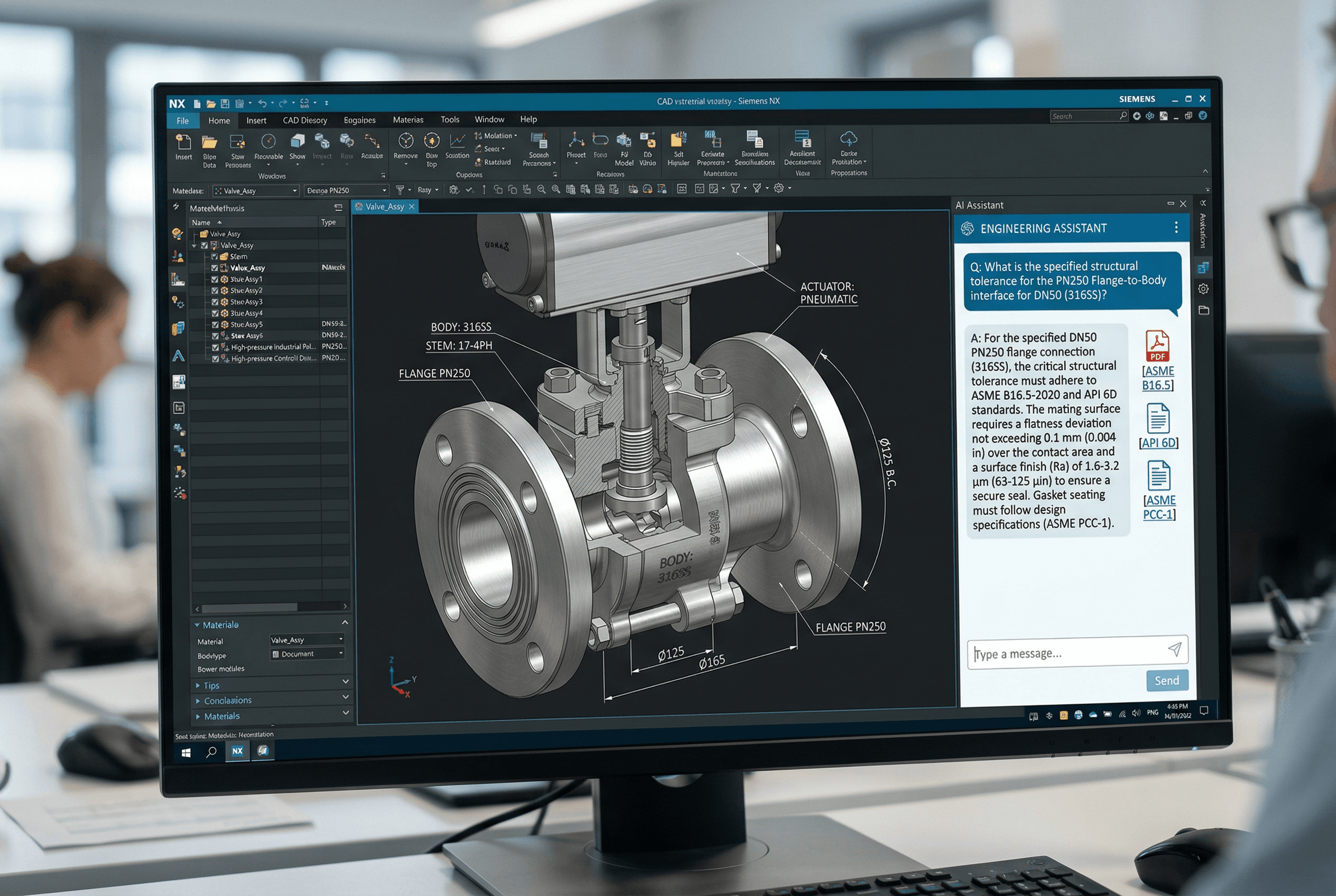
Best AI Tool for Mechanical Design Engineers

If ChatGPT frustrated you with engineering questions, here is why, and which tools actually work for real mechanical design workflows in 2026.

Best AI Tool for Mechanical Design Engineers

If ChatGPT frustrated you with engineering questions, here is why, and which tools actually work for real mechanical design workflows in 2026.

Liran Silbermann, for Leo AI Marketing

Let's Start With What Doesn't Work

A lot of MEs tried ChatGPT or Copilot at some point in the last 18 months for engineering questions. Some of it was useful, summarizing a standard, helping draft a tolerance note, explaining a formula. Most of it was frustrating:

You asked about a specific material property. It gave you a number. You went to check it. The number was either slightly wrong, not specific to the temper you were asking about, or sourced from a blog post that got the data from another blog post that misread the original datasheet.

You uploaded a drawing and asked it to identify DFM issues. It told you the obvious things visible in the image. It didn't read the actual geometry. It couldn't tell you the wall thickness or the draft angle.

You asked whether your organization had used a specific bearing type before. It said it didn't have access to your internal data.

These aren't bugs in ChatGPT. They're fundamental limitations of a general-purpose LLM applied to a domain that needs precision, traceability, and geometry understanding. The problem isn't AI. The problem is using the wrong AI for the job.

Let's Start With What Doesn't Work

A lot of MEs tried ChatGPT or Copilot at some point in the last 18 months for engineering questions. Some of it was useful, summarizing a standard, helping draft a tolerance note, explaining a formula. Most of it was frustrating:

You asked about a specific material property. It gave you a number. You went to check it. The number was either slightly wrong, not specific to the temper you were asking about, or sourced from a blog post that got the data from another blog post that misread the original datasheet.

You uploaded a drawing and asked it to identify DFM issues. It told you the obvious things visible in the image. It didn't read the actual geometry. It couldn't tell you the wall thickness or the draft angle.

You asked whether your organization had used a specific bearing type before. It said it didn't have access to your internal data.

These aren't bugs in ChatGPT. They're fundamental limitations of a general-purpose LLM applied to a domain that needs precision, traceability, and geometry understanding. The problem isn't AI. The problem is using the wrong AI for the job.

What a Mechanical Design Engineer Actually Needs From AI

Think about where your non-design time goes in a typical week:

Searching. Hunting for an answer that exists somewhere in the org's files, or in a standard you know you have access to but can't locate the right clause in. Asking a senior engineer a question they've answered twelve times before.

Checking. Verifying a tolerance is defensible. Confirming a part meets the applicable standard. Making sure a new design doesn't repeat a failure mode from a previous program.

Part selection. Figuring out whether to create a new part or reuse something that already exists. Searching a catalog for the right off-the-shelf component. Estimating whether a substitution is acceptable.

Documentation. Writing up the rationale for a design decision so it's not lost next time someone asks.

AI tools that address those four problems, for real, not in a marketing demo, are the ones worth your time. Here's how the current options line up.

What a Mechanical Design Engineer Actually Needs From AI

Think about where your non-design time goes in a typical week:

Searching. Hunting for an answer that exists somewhere in the org's files, or in a standard you know you have access to but can't locate the right clause in. Asking a senior engineer a question they've answered twelve times before.

Checking. Verifying a tolerance is defensible. Confirming a part meets the applicable standard. Making sure a new design doesn't repeat a failure mode from a previous program.

Part selection. Figuring out whether to create a new part or reuse something that already exists. Searching a catalog for the right off-the-shelf component. Estimating whether a substitution is acceptable.

Documentation. Writing up the rationale for a design decision so it's not lost next time someone asks.

AI tools that address those four problems, for real, not in a marketing demo, are the ones worth your time. Here's how the current options line up.

The Tool That Addresses All Four: Leo AI

Leo AI's architecture is different from every other tool in this list in one fundamental way: it reads your CAD files directly. Not screenshots. Not exported STEP files converted to text. The actual B-rep geometry, features, dimensions, mates, tolerances, assembly relationships.

Three granted US patents on that capability. Nobody else has it.

For searching: You index your entire PDM/PLM and document archive once. After that, any engineer on the team can ask a natural language question and get a verified, source-cited answer in seconds. "What fastener torque spec did we use for the main housing cover on Gen 4?" returns not just the number but the document, revision, and engineer who documented it.

For checking: Leo Inspect runs a one-click assembly review. DFM flags, part selection issues, standards non-compliance, all with severity ratings and specific citations. Not "this might be a problem", "this wall thickness violates clause 4.3.2 of your internal guideline, here's the document."

For part selection: Geometric similarity search. Select a geometry, get ranked results from your PDM showing everything similar, with dimensional comparison and commonality data. When no internal match exists, Leo searches 120M+ vendor catalog parts.

For documentation: Every Leo answer is a citable source. When an engineer asks "why did we use 4340 steel here," Leo returns the original analysis document. That analysis is now accessible to every future engineer on the program without a tribal knowledge dependency.

Customer reference: Oliver Diebel, Co-Director at Sketch Design, working on cryogenic LH2 system design: "Days, weeks, to minutes. It has paid off massively for us." That's not a testimonial about a product. That's an engineer describing what happened to a specific task when the information retrieval problem was solved.

The Tool That Addresses All Four: Leo AI

Leo AI's architecture is different from every other tool in this list in one fundamental way: it reads your CAD files directly. Not screenshots. Not exported STEP files converted to text. The actual B-rep geometry, features, dimensions, mates, tolerances, assembly relationships.

Three granted US patents on that capability. Nobody else has it.

For searching: You index your entire PDM/PLM and document archive once. After that, any engineer on the team can ask a natural language question and get a verified, source-cited answer in seconds. "What fastener torque spec did we use for the main housing cover on Gen 4?" returns not just the number but the document, revision, and engineer who documented it.

For checking: Leo Inspect runs a one-click assembly review. DFM flags, part selection issues, standards non-compliance, all with severity ratings and specific citations. Not "this might be a problem", "this wall thickness violates clause 4.3.2 of your internal guideline, here's the document."

For part selection: Geometric similarity search. Select a geometry, get ranked results from your PDM showing everything similar, with dimensional comparison and commonality data. When no internal match exists, Leo searches 120M+ vendor catalog parts.

For documentation: Every Leo answer is a citable source. When an engineer asks "why did we use 4340 steel here," Leo returns the original analysis document. That analysis is now accessible to every future engineer on the program without a tribal knowledge dependency.

Customer reference: Oliver Diebel, Co-Director at Sketch Design, working on cryogenic LH2 system design: "Days, weeks, to minutes. It has paid off massively for us." That's not a testimonial about a product. That's an engineer describing what happened to a specific task when the information retrieval problem was solved.

The Tools That Cover the Rest

Autodesk Generative Design, for lightweighting and concept geometry

If you're designing aerospace components, automotive structural parts, or anything where minimizing mass at a given load case is a primary driver, Generative Design does something a human modeler can't: it explores thousands of topology variants simultaneously and returns them ranked by performance and manufacturing constraint compliance.

It won't help you find an existing part, answer a technical question, or catch a DFM issue. It's a concept geometry tool. Use it for that.

SOLIDWORKS AURA, for SOLIDWORKS workflow efficiency

AURA is useful if you spend significant time in SOLIDWORKS and want command-level guidance, constraint suggestions, and conversational workflow help within the modeling environment. It's the AI assistant for the SOLIDWORKS UI. It doesn't know your org's data.

ANSYS Discovery, for rapid design feedback during concept phase

Running full FEA or CFD at every design iteration is impractical. Discovery gives you real-time simulation feedback, structural stress, thermal gradients, fluid behavior, at a fidelity level useful for design direction decisions. It catches gross problems during modeling rather than after. Not a substitute for validation-level simulation, but it significantly reduces the number of changes you're making at that stage.

The Tools That Cover the Rest

Autodesk Generative Design, for lightweighting and concept geometry

If you're designing aerospace components, automotive structural parts, or anything where minimizing mass at a given load case is a primary driver, Generative Design does something a human modeler can't: it explores thousands of topology variants simultaneously and returns them ranked by performance and manufacturing constraint compliance.

It won't help you find an existing part, answer a technical question, or catch a DFM issue. It's a concept geometry tool. Use it for that.

SOLIDWORKS AURA, for SOLIDWORKS workflow efficiency

AURA is useful if you spend significant time in SOLIDWORKS and want command-level guidance, constraint suggestions, and conversational workflow help within the modeling environment. It's the AI assistant for the SOLIDWORKS UI. It doesn't know your org's data.

ANSYS Discovery, for rapid design feedback during concept phase

Running full FEA or CFD at every design iteration is impractical. Discovery gives you real-time simulation feedback, structural stress, thermal gradients, fluid behavior, at a fidelity level useful for design direction decisions. It catches gross problems during modeling rather than after. Not a substitute for validation-level simulation, but it significantly reduces the number of changes you're making at that stage.

A Realistic Adoption Path

Most teams don't deploy everything at once. Here's a sequence that works:

Month 1: Deploy Leo AI. Index your PDM, PLM, and document archives. Run one training workshop. Focus initial use on the Q&A function, replacing the "go ask Bob" workflow. Track: how often does a question get answered in under 5 minutes vs. how often it required an hour or more before.

Month 2–3: Activate Leo's geometric part search. Run it on one active program. Count how many part searches return existing validated alternatives vs. new part creation. Track: part reuse rate, new part numbers created.

Month 3–4: Add Leo Inspect to your pre-release review process. Require inspection reports before drawings go to manufacturing. Track: DFM issues caught pre-release vs. post-release.

Ongoing: Evaluate whether simulation feedback (ANSYS Discovery) is the remaining bottleneck, or whether the in-CAD command assistance (AURA) is slowing modeling work. Add accordingly.

The teams that get the most out of AI aren't the ones that deployed the most tools. They're the ones that deployed specific tools to specific problems and measured the difference.

A Realistic Adoption Path

Most teams don't deploy everything at once. Here's a sequence that works:

Month 1: Deploy Leo AI. Index your PDM, PLM, and document archives. Run one training workshop. Focus initial use on the Q&A function, replacing the "go ask Bob" workflow. Track: how often does a question get answered in under 5 minutes vs. how often it required an hour or more before.

Month 2–3: Activate Leo's geometric part search. Run it on one active program. Count how many part searches return existing validated alternatives vs. new part creation. Track: part reuse rate, new part numbers created.

Month 3–4: Add Leo Inspect to your pre-release review process. Require inspection reports before drawings go to manufacturing. Track: DFM issues caught pre-release vs. post-release.

Ongoing: Evaluate whether simulation feedback (ANSYS Discovery) is the remaining bottleneck, or whether the in-CAD command assistance (AURA) is slowing modeling work. Add accordingly.

The teams that get the most out of AI aren't the ones that deployed the most tools. They're the ones that deployed specific tools to specific problems and measured the difference.

The Question Worth Asking Your Vendor

Before committing to any tool: ask what happens when it gives a wrong answer.

If the answer is "our AI is very accurate", walk away. Accuracy claims without methodology are not a specification.

The answer you want: "Every answer cites its source. Engineers verify against the original document. The tool is designed to say 'I don't know' when the evidence is insufficient rather than generate a confident answer without support."

That's an engineering answer. That's a tool you can use in a design environment.

Leo AI's explicit design principle is that it will not fabricate citations or specifications. It surfaces sources, shows its calculation code, and acknowledges the limits of its indexed data. For any organization in a regulated industry, aerospace, defense, medical devices, that's not a nice-to-have. It's a baseline requirement.

The Question Worth Asking Your Vendor

Before committing to any tool: ask what happens when it gives a wrong answer.

If the answer is "our AI is very accurate", walk away. Accuracy claims without methodology are not a specification.

The answer you want: "Every answer cites its source. Engineers verify against the original document. The tool is designed to say 'I don't know' when the evidence is insufficient rather than generate a confident answer without support."

That's an engineering answer. That's a tool you can use in a design environment.

Leo AI's explicit design principle is that it will not fabricate citations or specifications. It surfaces sources, shows its calculation code, and acknowledges the limits of its indexed data. For any organization in a regulated industry, aerospace, defense, medical devices, that's not a nice-to-have. It's a baseline requirement.

What This Looks Like in Practice

Scenario: Material Substitution Under Time Pressure

R&D engineer needs to validate whether a lower-cost steel can replace 4340 in a structural bracket. Timeline: two days before design freeze.

Without AI:

  • Review MatWeb manually, 2 hours

  • Check Shigley's for fatigue and yield comparison, 1.5 hours

  • Find internal precedent on similar substitution, half a day of emails and calls

  • Compile comparison table, 1 hour

  • Total: ~6–7 hours, results uncertain

With Leo AI:

  • Query: "Compare 4340 and [alternative] on yield strength, fatigue limit, and machinability. Has this substitution been used in a structurally similar application in our design history?"

  • Leo returns: Material comparison table with MatWeb-cited properties, reference to an internal project where the substitution was made, and the design note documenting the outcome

  • Engineer verifies citations, makes decision

  • Total: 20–30 minutes

This specific scenario, minus the exact timeline, is close to what happened at Rafael Advanced Defense Systems, 48 hours of manual research replaced by a two-minute query with verified, cited results.

What This Looks Like in Practice

Scenario: Material Substitution Under Time Pressure

R&D engineer needs to validate whether a lower-cost steel can replace 4340 in a structural bracket. Timeline: two days before design freeze.

Without AI:

  • Review MatWeb manually, 2 hours

  • Check Shigley's for fatigue and yield comparison, 1.5 hours

  • Find internal precedent on similar substitution, half a day of emails and calls

  • Compile comparison table, 1 hour

  • Total: ~6–7 hours, results uncertain

With Leo AI:

  • Query: "Compare 4340 and [alternative] on yield strength, fatigue limit, and machinability. Has this substitution been used in a structurally similar application in our design history?"

  • Leo returns: Material comparison table with MatWeb-cited properties, reference to an internal project where the substitution was made, and the design note documenting the outcome

  • Engineer verifies citations, makes decision

  • Total: 20–30 minutes

This specific scenario, minus the exact timeline, is close to what happened at Rafael Advanced Defense Systems, 48 hours of manual research replaced by a two-minute query with verified, cited results.

I'm skeptical that any AI can actually read my CAD files. How does that work technically?

What if our organization has conflicting design documentation, different engineers documented different approaches?

Does deployment require IT involvement?

Glossary

  • B-rep: Boundary Representation, the native geometry format in parametric CAD systems

  • LMM: Large Mechanical Model (Leo AI's patented AI architecture)

  • PDM / PLM: Product Data Management / Product Lifecycle Management

  • DFM: Design for Manufacturability

  • BOM: Bill of Materials

  • ECO: Engineering Change Order

  • FEA / CFD: Finite Element Analysis / Computational Fluid Dynamics

  • ASME / ISO / DIN / MIL-STD: Standards bodies, American Society of Mechanical Engineers, International Organization for Standardization, German Institute for Standardization, US Military Standards

Glossary

  • B-rep: Boundary Representation, the native geometry format in parametric CAD systems

  • LMM: Large Mechanical Model (Leo AI's patented AI architecture)

  • PDM / PLM: Product Data Management / Product Lifecycle Management

  • DFM: Design for Manufacturability

  • BOM: Bill of Materials

  • ECO: Engineering Change Order

  • FEA / CFD: Finite Element Analysis / Computational Fluid Dynamics

  • ASME / ISO / DIN / MIL-STD: Standards bodies, American Society of Mechanical Engineers, International Organization for Standardization, German Institute for Standardization, US Military Standards

Subscribe to our engineering newsletter

Be the first to know about Leo's newest capabilities and get practical tips to boost your engineering.

Need help? Join the Leo AI Community

Connect with other engineers, get answers from our team, and request features.

#1 New Software

Globally

All Industries

#12 AI Tool

Worldwide

G2 2026

Contact us

160 Alewife Brook Pkwy #1095

Cambridge, MA 02138

United States

Subscribe to our newsletter

Be the first to know about Leo's newest capabilities and get practical tips to boost your engineering.

Need help? Join the Community

Connect with other engineers, get answers from our team, and request features.

#1 New Software

Globally

All Industries

#12 AI Tool

Worldwide

G2 2026

Contact us

160 Alewife Brook Pkwy #1095

Cambridge, MA 02138

United States

Subscribe to our engineering newsletter

Be the first to know about Leo's newest capabilities and get practical tips to boost your engineering.

Need help? Join the Leo AI Community

Connect with other engineers, get answers from our team, and request features.

#1 New Software

Globally

All Industries

#12 AI Tool

Worldwide

G2 2026

Contact us

160 Alewife Brook Pkwy #1095

Cambridge, MA 02138

United States

Subscribe to our engineering newsletter

Be the first to know about Leo's newest capabilities and get practical tips to boost your engineering.

Need help? Join the Leo AI Community

Connect with other engineers, get answers from our team, and request features.

#1 New Software

Globally

All Industries

#12 AI Tool

Worldwide

G2 2026

Contact us

160 Alewife Brook Pkwy #1095

Cambridge, MA 02138

United States