

AI for Engineering Knowledge Management
Best DFM Software for Injection Molding: How AI Optimizes Mold Design
Best DFM Software for Injection Molding: How AI Optimizes Mold Design
Best DFM Software for Injection Molding: How AI Optimizes Mold Design
he honest guide to AI-powered DFM for injection molding, covering wall thickness, draft angles, sink marks, and what tools actually flag them before tooling is cut.
·
⏱
6 min read

Michelle Ben-David
Product Specialist, Leo AI
Product Specialist, Leo AI
Mechanical Engineer, B.Sc. · Ex-Officer, Elite Tech Unit · Aerospace & Defence · Medical Devices
Mechanical Engineer, B.Sc. · Ex-Officer, Elite Tech Unit · Aerospace & Defence · Medical Devices
Michelle Ben-David is a mechanical engineer and Technion graduate. She served in an IDF elite technology and intelligence unit, where she developed multidisciplinary systems integrating mechanics, electronics, and advanced algorithms. Her engineering background spans robotics, medical devices, and automotive systems.
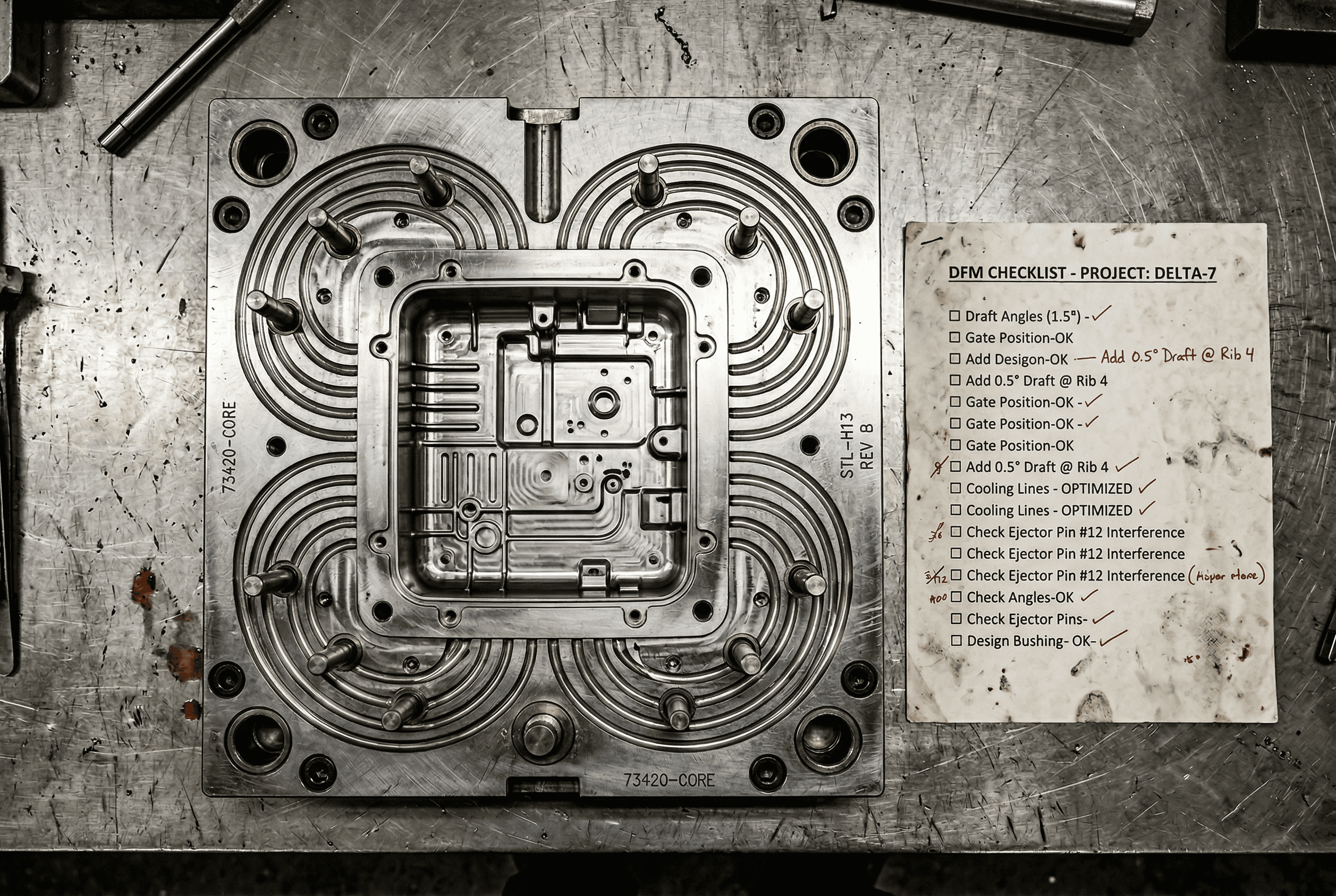
BOTTOM LINE
DFM is most valuable when it's embedded in the design process, not tacked on at the end
Real DFM analysis requires understanding geometry, material properties, machine capabilities, and cost tradeoffs simultaneously. No single rule or checklist captures that complexity.
Leo's Inspect feature runs DFM analysis across dozens of manufacturing constraints in parallel, identifying cost-saving opportunities and manufacturability issues before a single production quote is requested.
Why Injection Molding DFM Errors Are Expensive
Injection molding tooling is not cheap to change. A steel cavity modification after the tool is cut runs from thousands of dollars on a simple consumer part to hundreds of thousands on a complex multi-cavity tool. The DFM errors that cause those modifications are almost always detectable during the design phase, before a single chip of steel is cut.
The common list is not a mystery. Insufficient draft on vertical walls. Wall thickness variation that causes sink marks over ribs or bosses. Undercuts that require side actions the tool designer never budgeted for. Gate locations that create weld lines in a structurally critical region. Parting line placement that makes ejection problematic.
Engineers who have done injection molded parts for years carry this checklist in their heads. The problem is that not every engineer on the team has that experience, and even experienced engineers are faster under deadline pressure than they should be.
AI-powered DFM tools catch the checklist items automatically, before the drawing reaches the toolmaker.
Why Injection Molding DFM Errors Are Expensive
Injection molding tooling is not cheap to change. A steel cavity modification after the tool is cut runs from thousands of dollars on a simple consumer part to hundreds of thousands on a complex multi-cavity tool. The DFM errors that cause those modifications are almost always detectable during the design phase, before a single chip of steel is cut.
The common list is not a mystery. Insufficient draft on vertical walls. Wall thickness variation that causes sink marks over ribs or bosses. Undercuts that require side actions the tool designer never budgeted for. Gate locations that create weld lines in a structurally critical region. Parting line placement that makes ejection problematic.
Engineers who have done injection molded parts for years carry this checklist in their heads. The problem is that not every engineer on the team has that experience, and even experienced engineers are faster under deadline pressure than they should be.
AI-powered DFM tools catch the checklist items automatically, before the drawing reaches the toolmaker.
What AI DFM for Injection Molding Actually Checks
The useful tools in this space work at the geometry level, not the image level. They read the actual CAD features and run checks against manufacturing constraints. Here is what that looks like in practice:
Wall thickness analysis. Minimum wall thickness for a given resin and flow path is a function of material viscosity, part geometry, and tool temperature. AI tools that read B-rep geometry can compute the actual section thickness at any point and flag locations below the threshold for your specified material and process.
Draft angle verification. Surfaces parallel or near-parallel to the pull direction need draft to release from the cavity. The minimum angle varies by material, surface finish, and depth of draw. AI inspection flags specific faces with draft angles below the required minimum, with severity ratings by pull direction.
Sink mark risk over ribs and bosses. The standard guideline is that rib thickness should not exceed 60% of nominal wall thickness on cosmetic faces. AI tools flag rib-to-wall ratios that exceed this, with the specific locations and the relevant guideline cited.
Undercut detection. AI tools identify geometric features that would require a side action, lifter, or collapsible core in the tool. This is not always a problem, but it is always a cost and lead time factor that should be a deliberate decision, not a surprise at the toolmaker's DFM review.
Gate and weld line analysis. Some tools can predict weld line locations based on gate position and part geometry, flagging weld lines that fall in high-stress or cosmetic regions.
What AI DFM for Injection Molding Actually Checks
The useful tools in this space work at the geometry level, not the image level. They read the actual CAD features and run checks against manufacturing constraints. Here is what that looks like in practice:
Wall thickness analysis. Minimum wall thickness for a given resin and flow path is a function of material viscosity, part geometry, and tool temperature. AI tools that read B-rep geometry can compute the actual section thickness at any point and flag locations below the threshold for your specified material and process.
Draft angle verification. Surfaces parallel or near-parallel to the pull direction need draft to release from the cavity. The minimum angle varies by material, surface finish, and depth of draw. AI inspection flags specific faces with draft angles below the required minimum, with severity ratings by pull direction.
Sink mark risk over ribs and bosses. The standard guideline is that rib thickness should not exceed 60% of nominal wall thickness on cosmetic faces. AI tools flag rib-to-wall ratios that exceed this, with the specific locations and the relevant guideline cited.
Undercut detection. AI tools identify geometric features that would require a side action, lifter, or collapsible core in the tool. This is not always a problem, but it is always a cost and lead time factor that should be a deliberate decision, not a surprise at the toolmaker's DFM review.
Gate and weld line analysis. Some tools can predict weld line locations based on gate position and part geometry, flagging weld lines that fall in high-stress or cosmetic regions.
IN PRACTICE
What Engineers Are Saying
"Leo found a nature-inspired solution — a concept we wouldn't have thought of — that let us use standard, off-the-shelf parts. No custom manufacturing. No dedicated engineer. We saved around $400 per system."
— Chen, Team Lead at ZutaCore
The Tools Worth Knowing
Leo AI
Leo AI's DFM inspection for injection molded parts operates through Leo Inspect, a one-click assembly and part review that checks geometry against both your organization's internal design guidelines and a library of 1M+ external engineering sources. The distinction that matters: Leo checks against your internal rules, not just generic ASME or ISO standards.
If your organization has a documented guideline that says draft angles on textured surfaces must be at least 3 degrees per 0.001" of texture depth, Leo checks against that guideline and cites it in the inspection result. A generic DFM checker knows the generic rule. Leo knows your rule.
Leo also connects DFM inspection to part search. When it flags a wall thickness issue, it can simultaneously surface alternative internal parts from your PDM that already pass the same check, with commonality data. This is where AI DFM starts saving money beyond just flagging problems.
For teams using SolidWorks, Creo, NX, Inventor, or Onshape, Leo integrates directly without requiring export to a separate format.
Protolabs DFM Analysis
Protolabs provides instant DFM feedback when you upload a file for quoting. It checks against their specific manufacturing capabilities, which is both its strength and its limitation: the feedback is tuned to what Protolabs can and cannot make, which is useful if you are sourcing from them, but not a substitute for general DFM analysis against your own design standards.
Turnaround is fast. The analysis is geometry-based. It is a good sanity check for teams using Protolabs as their contract manufacturer.
Autodesk Fusion DFM
Fusion includes built-in manufacturability analysis for injection molding as part of the CAD/CAM workflow. Draft analysis, wall thickness checking, and undercut identification are available within the modeling environment. The advantage is that feedback is in-context while you are modeling. The limitation is that it checks against Fusion's built-in rules rather than your organization's specific requirements, and it does not connect to your design history or internal guidelines.
The Tools Worth Knowing
Leo AI
Leo AI's DFM inspection for injection molded parts operates through Leo Inspect, a one-click assembly and part review that checks geometry against both your organization's internal design guidelines and a library of 1M+ external engineering sources. The distinction that matters: Leo checks against your internal rules, not just generic ASME or ISO standards.
If your organization has a documented guideline that says draft angles on textured surfaces must be at least 3 degrees per 0.001" of texture depth, Leo checks against that guideline and cites it in the inspection result. A generic DFM checker knows the generic rule. Leo knows your rule.
Leo also connects DFM inspection to part search. When it flags a wall thickness issue, it can simultaneously surface alternative internal parts from your PDM that already pass the same check, with commonality data. This is where AI DFM starts saving money beyond just flagging problems.
For teams using SolidWorks, Creo, NX, Inventor, or Onshape, Leo integrates directly without requiring export to a separate format.
Protolabs DFM Analysis
Protolabs provides instant DFM feedback when you upload a file for quoting. It checks against their specific manufacturing capabilities, which is both its strength and its limitation: the feedback is tuned to what Protolabs can and cannot make, which is useful if you are sourcing from them, but not a substitute for general DFM analysis against your own design standards.
Turnaround is fast. The analysis is geometry-based. It is a good sanity check for teams using Protolabs as their contract manufacturer.
Autodesk Fusion DFM
Fusion includes built-in manufacturability analysis for injection molding as part of the CAD/CAM workflow. Draft analysis, wall thickness checking, and undercut identification are available within the modeling environment. The advantage is that feedback is in-context while you are modeling. The limitation is that it checks against Fusion's built-in rules rather than your organization's specific requirements, and it does not connect to your design history or internal guidelines.
What This Looks Like in Practice
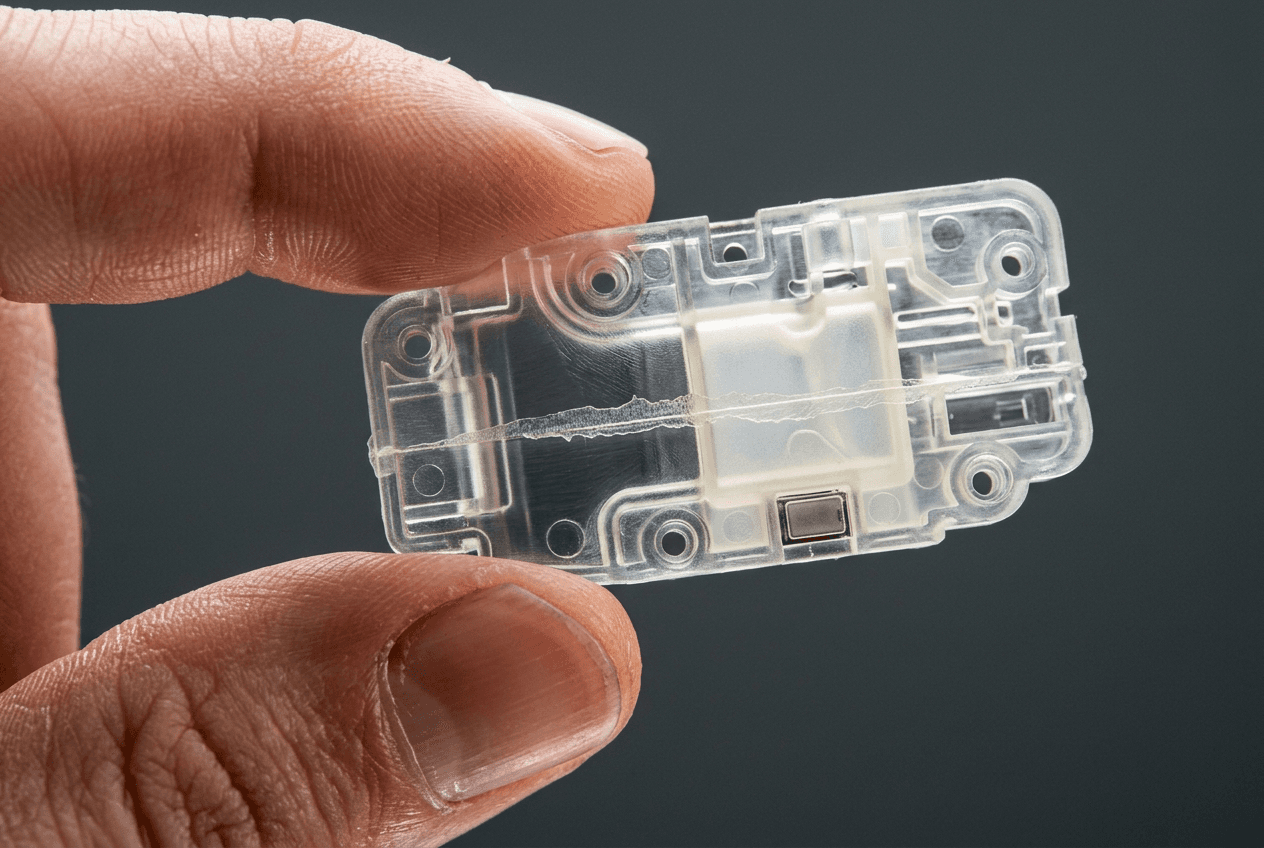
Scenario: Plastic housing for an industrial sensor, first DFM review
Without AI DFM: Engineer completes housing design and sends to the toolmaker for DFM review. Toolmaker comes back five days later with a list: draft missing on two internal vertical features, one rib at 85% of wall thickness on a cosmetic surface, and a gate location that puts the weld line across the snap-fit feature. Two rounds of design revision follow. Timeline slips three weeks.
With Leo Inspect before sending:
Engineer runs a one-click inspection. Leo flags the same draft issues on the internal features, cites the internal DFM guideline for minimum draft on that material. Flags the rib thickness against the 60% rule, cites the source. Flags the weld line risk based on gate location. Engineer addresses all three before the drawing leaves the department. Toolmaker's DFM review comes back clean. Timeline holds.
The scenario is not hypothetical. At ZutaCore, Leo's part design suggestions identified a standardized design approach using off-the-shelf components that eliminated custom manufacturing work per deployment and yielded $400 per unit in savings. The mechanism is the same: catching design decisions that have manufacturing cost consequences before those consequences are locked in.
What This Looks Like in Practice
Scenario: Plastic housing for an industrial sensor, first DFM review
Without AI DFM: Engineer completes housing design and sends to the toolmaker for DFM review. Toolmaker comes back five days later with a list: draft missing on two internal vertical features, one rib at 85% of wall thickness on a cosmetic surface, and a gate location that puts the weld line across the snap-fit feature. Two rounds of design revision follow. Timeline slips three weeks.
With Leo Inspect before sending:
Engineer runs a one-click inspection. Leo flags the same draft issues on the internal features, cites the internal DFM guideline for minimum draft on that material. Flags the rib thickness against the 60% rule, cites the source. Flags the weld line risk based on gate location. Engineer addresses all three before the drawing leaves the department. Toolmaker's DFM review comes back clean. Timeline holds.
The scenario is not hypothetical. At ZutaCore, Leo's part design suggestions identified a standardized design approach using off-the-shelf components that eliminated custom manufacturing work per deployment and yielded $400 per unit in savings. The mechanism is the same: catching design decisions that have manufacturing cost consequences before those consequences are locked in.
The Questions Your DFM Tool Should Be Able to Answer
Before committing to any DFM tool for injection molded parts, run these questions:
Does it check against your organization's internal material and process guidelines, or only generic rules? For most organizations with established product lines, the internal rules are more specific and more relevant than the generic ones.
When it flags an issue, does it cite the source? "Rib thickness exceeds recommendation" is not actionable. "Rib thickness 78% of nominal wall, exceeds 60% guideline per internal DFM standard rev D, section 4.2" is actionable.
Can it connect to your PDM and surface existing parts that already meet the requirements? Flagging a problem is useful. Flagging a problem and pointing to a validated solution from your own design history is significantly more useful.
What happens to your CAD data when you upload it for analysis? For proprietary parts, the IP exposure question is not optional.
The Questions Your DFM Tool Should Be Able to Answer
Before committing to any DFM tool for injection molded parts, run these questions:
Does it check against your organization's internal material and process guidelines, or only generic rules? For most organizations with established product lines, the internal rules are more specific and more relevant than the generic ones.
When it flags an issue, does it cite the source? "Rib thickness exceeds recommendation" is not actionable. "Rib thickness 78% of nominal wall, exceeds 60% guideline per internal DFM standard rev D, section 4.2" is actionable.
Can it connect to your PDM and surface existing parts that already meet the requirements? Flagging a problem is useful. Flagging a problem and pointing to a validated solution from your own design history is significantly more useful.
What happens to your CAD data when you upload it for analysis? For proprietary parts, the IP exposure question is not optional.
FAQ
Stop Wasting Hours on Manual CAD Search
Leo AI turns your existing vault into a searchable knowledge base.
Leo AI connects to your PDM and makes every part findable by description in under 10 seconds. <a href="/onboarding">Try Leo Today</a>
Schedule a Demo →

#1 New AI Software Globally - G2 2026

Enterprise-grade security

Trusted by world-class engineering teams
Recommended

Subscribe to our engineering newsletter
Be the first to know about Leo's newest capabilities and get practical tips to boost your engineering.
Need help? Join the Leo AI Community
Connect with other engineers, get answers from our team, and request features.

#1 New Software
Globally
All Industries
#12 AI Tool
Worldwide
G2 2026


© 2026 Leo AI, Inc.
Be the first to know about Leo's newest capabilities and get practical tips to boost your engineering.
Connect with other engineers, get answers from our team, and request features.
#1 New Software
Globally
All Industries
#12 AI Tool
Worldwide
G2 2026
© 2026 Leo AI, Inc.
Subscribe to our engineering newsletter
Be the first to know about Leo's newest capabilities and get practical tips to boost your engineering.
Need help? Join the Leo AI Community
Connect with other engineers, get answers from our team, and request features.
#1 New Software
Globally
All Industries
#12 AI Tool
Worldwide
G2 2026
© 2026 Leo AI, Inc.
Subscribe to our engineering newsletter
Be the first to know about Leo's newest capabilities and get practical tips to boost your engineering.
Need help? Join the Leo AI Community
Connect with other engineers, get answers from our team, and request features.
#1 New Software
Globally
All Industries
#12 AI Tool
Worldwide
G2 2026
© 2026 Leo AI, Inc.