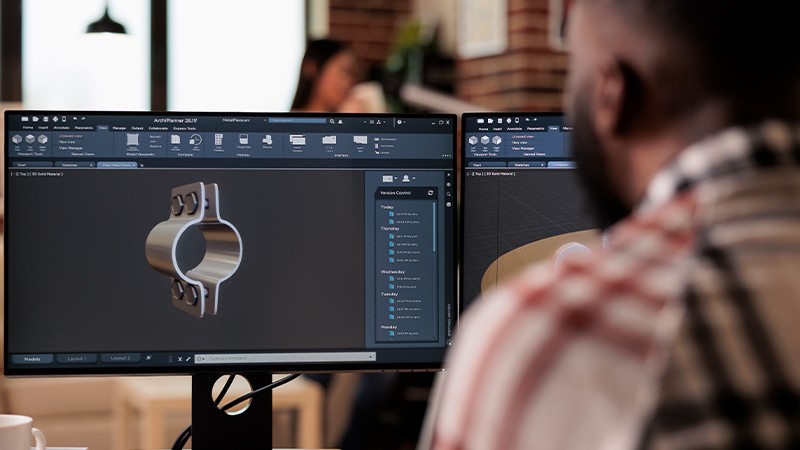
Best Platforms For Automatic Mechanical Component Selection

Discover 4 platforms that automate component sizing and selection for mechanical engineers. Save hours weekly with AI-driven CAD integration and ideation.

Best Platforms For Automatic Mechanical Component Selection

Discover 4 platforms that automate component sizing and selection for mechanical engineers. Save hours weekly with AI-driven CAD integration and ideation.

Best Platforms For Automatic Mechanical Component Selection

Discover 4 platforms that automate component sizing and selection for mechanical engineers. Save hours weekly with AI-driven CAD integration and ideation.

Dr. Maor Farid, Co-Founder & CEO at Leo AI

Jan 6, 2026

Choosing the right automation platform shouldn't feel like another engineering problem to solve. Yet mechanical engineers face this challenge daily: tools that promise efficiency but fail to understand the specific requirements of your work.


The real issues?

  • Poor integration with existing CAD and PLM systems that forces you to export, re-enter, and reconcile data manually.

  • Search functions that can't interpret engineering constraints or material specifications.

  • Selection tools that ignore supply chain realities or can't access your organization's approved component libraries and standards.


You need platforms that speak your language. Ones that understand bolt grades, material properties, load cases, and tolerance stacks, not just generic part numbers.


So in this guide, we examine four platforms that address these specific needs. We'll show you which tools offer genuine CAD integration and concept creation for quick ideation, intelligent component selection based on engineering criteria, supply chain visibility, and the flexibility to work with both vendor catalogs and your internal standards.

TLDR


Manual component sizing and catalog searches eat up your engineering hours. Four platforms can fix that:

  • Leo AI: Natural language search across 120M+ vendor parts and your PLM, plus AI-driven calculations with transparent code. Best for eliminating catalog hunting and BOM busywork.

  • KISSsoft: Standards-compliant calculations (ISO, DIN, AGMA) for gears, shafts, bearings, and other machine elements. Best for gearbox design and closed-loop manufacturing feedback.

  • Ansys Mechanical: FEA-based structural validation with Python scripting for automation. Best for load analysis and design optimization.

  • Siemens NX: Full CAD/CAE/CAM suite with generative design and Part Families for variant selection. Best for teams needing everything in one environment.


Pick based on your actual bottleneck: catalog searches, standards calculations, structural validation, or unified design-to-manufacturing workflows.

Choose Based On What You Need


Choose an automation platform that actually fits your day-to-day workflow, not just one that sounds impressive on paper. Look for tools that offer accurate, validated sizing algorithms and a large library of real-world components from reputable manufacturers.


Also, make sure it integrates with your existing CAD/CAE software so you don’t waste time exporting files or re-entering data. It should let you adjust constraints, materials, and load cases easily, and show how each recommendation was generated.


And finally, check for reliable support, accuracy, standards compliance, and real time savings.

Key Automation Capabilities


To automate sizing and selection, look for platforms that offer:

  • Parametric modeling, which links component dimensions to engineering equations and constraints.

  • Component libraries with pre-defined 3D models and technical specs sourced from manufacturers.

  • Integration with calculation tools to enable seamless data exchange between your design model and sizing formulas.

  • Configuration tools that guide users through application requirements and generate a validated configuration and BOM.

Best Platforms For Automated Component Sizing And Selection


Each of the platforms below addresses the core requirements mechanical engineers face: intelligent search that understands engineering constraints, component libraries that reflect real supply chain options, and the flexibility to incorporate your organization's standards and preferred parts.


Here's how they stack up.

1) Leo AI


Leo AI is an engineering copilot built by and for mechanical engineers, powered by a Large Mechanical Model trained on more than one million verified engineering references.


It understands geometry, constraints, sketches, specs, and natural-language inputs, and turns ideas into accurate, standard-aligned 3D concepts that speed up ideation, development and reduce errors.

Why It’s A Good Option For Automated Component Sizing And Selection


Leo AI combines AI-driven engineering logic and vendor-catalog intelligence. It interprets geometry and operating conditions and solves complex calculations such as stress analysis, thermal expansion, material selection, and bolt sizing.


The system identifies the correct formulas from trusted sources, runs the calculations, and provides the results with transparent code.


Engineers can describe what they need in plain language and search internal PLM libraries or more than 120 million vendor parts. Leo can also find parts with specific properties, eliminating manual catalog searches and spreadsheets, saving hours each week and reducing sizing or selection mistakes.

2) KISSsoft


KISSsoft is a modular software program used for designing, analyzing, optimizing, and verifying machine elements according to international standards. It performs strength and service life calculations, builds complete gearbox models, and generates the necessary engineering documentation.

Why It’s A Good Option For Automated Component Sizing And Selection 


KISSsoft offers standard calculations for common machine parts such as gears, shafts, bearings, springs, chains, belts, screws, and shaft hub connections. It supports international standards (ISO, DIN, AGMA, VDI) and includes advanced design and optimization functions.


The software improves accuracy and workflow through its system-level design approach, integrated sizing tools, and compatibility with CAD and CAE systems. And it supports a Closed Loop system that feeds manufacturing evaluation results back into the design to reduce deviations and ensure that components meet the needed performance. 

3) Ansys Mechanical


Ansys Mechanical is an integrated platform that uses finite element analysis for structural and thermal analysis. It predicts how products behave under different conditions and helps engineers solve complex structural problems.


It also supports the full workflow from preparing geometry to connecting additional physics for higher-fidelity simulations.

Why It’s A Good Option For Automated Component Sizing And Selection 


Ansys Mechanical provides detailed structural and load-bearing analysis along with automation and optimization tools. It supports Python scripting, APDL, and the Ansys Customization Toolkit for automating tasks, parameterizing designs, and running optimization studies.


It works inside Ansys Workbench, which connects simulation data across structural, fluid, and thermal analyses for validating initial sizing and confirming that a component meets application requirements while enabling accurate and efficient automated optimization. 

4) Siemens Nx


Siemens NX is a complete CAD, CAM, and CAE software suite used for product design and development. It supports end-to-end work from 3D modeling and drafting to simulation and manufacturing. It’s scalable and fits smoothly into existing PLM and IT environments.

Why It’s A Good Option For Automated Component Sizing And Selection


Siemens NX combines AI-enabled tools, generative design, and reuse libraries inside an integrated CAD, CAE, and CFD environment.


Engineers can set performance requirements and constraints, and NX automatically explores optimized design options. And it offers the Part Families feature that supports automatic selection of component variants.


Templates and reuse libraries help apply standard logic and components to new designs. The integration across CAD, CAE, and CAM ensures that any design change flows directly into analysis and manufacturing without extra manual work.

Conclusion


Automating component sizing and selection delivers measurable returns: fewer sizing errors, reduced design cycle time, and hours saved each week on catalog searches and manual calculations. The four platforms we covered each solve this problem differently.

  • Leo AI brings natural language processing and PLM integration directly into your workflow, eliminating the gap between what you need and what you can find.

  • KISSsoft provides standards-compliant calculations for machine elements with closed-loop manufacturing feedback.

  • Ansys Mechanical excels at structural validation and Python-driven automation.

  • Siemens NX offers generative design with Part Families for variant selection across a unified CAD/CAE/CAM environment.


The right choice depends on where you spend your time the most. For example:

  • If you're drowning in vendor catalogs and manual BOM updates, prioritize platforms with strong component library integration and PLM connectivity.

  • If you're optimizing gearboxes or validating shaft-bearing assemblies against international standards, calculation-focused tools make sense.

  • If you need structural analysis coupled with design optimization, look for finite element integration with automation scripting.


Match the platform's strengths to your actual workflow bottlenecks, verify it connects with your existing systems, and confirm it supports the standards and manufacturers you already use. The goal isn't to adopt new technology, it's to eliminate the manual work that keeps you from engineering.

FAQ

What Should I Look For In An Automated Component Selection Platform?


Parametric modeling, validated manufacturer libraries, integration with your existing CAD/CAE stack, and transparent calculations you can actually verify. If it can't connect to your PLM or access your approved vendor lists, it's going to create more problems than it solves.

Will These Tools Replace My Engineering Judgment?


No. They handle the repetitive work (catalog lookups, standard calculations, BOM updates) so you can focus on the actual engineering decisions. You still define constraints, review outputs, and validate results.

How Much Time Can Automation Actually Save?


Depends on your workflow, but engineers typically spend hours weekly on manual catalog searches and data re-entry. Platforms with strong PLM integration and component libraries can cut that significantly.

Do I Need To Switch CAD Software To Use These?


Not necessarily. Most of these platforms integrate with major CAD systems (SolidWorks, NX, CATIA, etc.). Check compatibility with your specific setup before committing.

Which Platform Is Best For Small Engineering Teams Vs. Large Enterprises?


KISSsoft works well for smaller teams needing focused capabilities. Siemens NX and Ansys Mechanical scale better for enterprises with complex PLM environments and multi-discipline workflows (but come with steeper learning curves and costs). Leo AI serves both, offering enterprise grade accuracy and security for large manufacturers while remaining accessible for high-end startups that need powerful capabilities without the overhead.

Subscribe to our engineering newsletter

Be the first to know about Leo's newest capabilities and get practical tips to boost your engineering.

Need help? Join the Leo AI Community

Connect with other engineers, get answers from our team, and request features.

Contact us

160 Alewife Brook Pkwy #1095

Cambridge, MA 02138

United States

Subscribe to our engineering newsletter

Be the first to know about Leo's newest capabilities and get practical tips to boost your engineering.

Need help? Join the Leo AI Community

Connect with other engineers, get answers from our team, and request features.

Contact us

160 Alewife Brook Pkwy #1095

Cambridge, MA 02138

United States

Subscribe to our engineering newsletter

Be the first to know about Leo's newest capabilities and get practical tips to boost your engineering.

Need help? Join the Leo AI Community

Connect with other engineers, get answers from our team, and request features.

Contact us

160 Alewife Brook Pkwy #1095

Cambridge, MA 02138

United States

Subscribe to our engineering newsletter

Be the first to know about Leo's newest capabilities and get practical tips to boost your engineering.

Need help? Join the Leo AI Community

Connect with other engineers, get answers from our team, and request features.

Contact us

160 Alewife Brook Pkwy #1095

Cambridge, MA 02138

United States