

AI for Engineering Knowledge Management
Leo AI’s new update gives mechanical engineers step-by-step help to fix design issues in CAD assemblies using plain language.
·
⏱
2 min read

Dr. Maor Farid
Maor Farid is the Co-Founder and CEO of Leo AI, the first AI platform purpose-built for mechanical engineers. He holds a PhD in Mechanical Engineering and completed postdoctoral research at MIT as a Fulbright fellow. A Forbes 30 Under 30 honoree and former AI researcher and Mechanical Engineer in an elite military intelligence, Maor leads Leo AI's mission to transform how engineering teams design better products faster.
BOTTOM LINE
Diagnosing and fixing design issues in CAD assemblies used to mean hours of trial and error. Leo's step-by-step guidance in plain language gives engineers a structured path to the fix — reducing errors and accelerating every design iteration.
The time saved on each assembly issue compounds quickly across a team and a product cycle.
Leo AI’s new update gives mechanical engineers step-by-step help to fix design issues in CAD assemblies using plain language. Save time, improve accuracy, and avoid mistakes.
Why Does This Matter?
For mechanical engineers, working with complex CAD assemblies can be tedious and time-consuming. Diagnosing a design issue in a CAD assembly, and applying the fix often take hours. What if you could streamline the entire process?
IN PRACTICE
What Engineers Are Saying
"With Leo, our team improves design quality, reduces mistakes, and shortens time-to-market. Instead of wasting hours on repetitive searches and calculations, we focus on making better products and leading our category."
— Uriel B., Field Warfare and Survivability Specialist
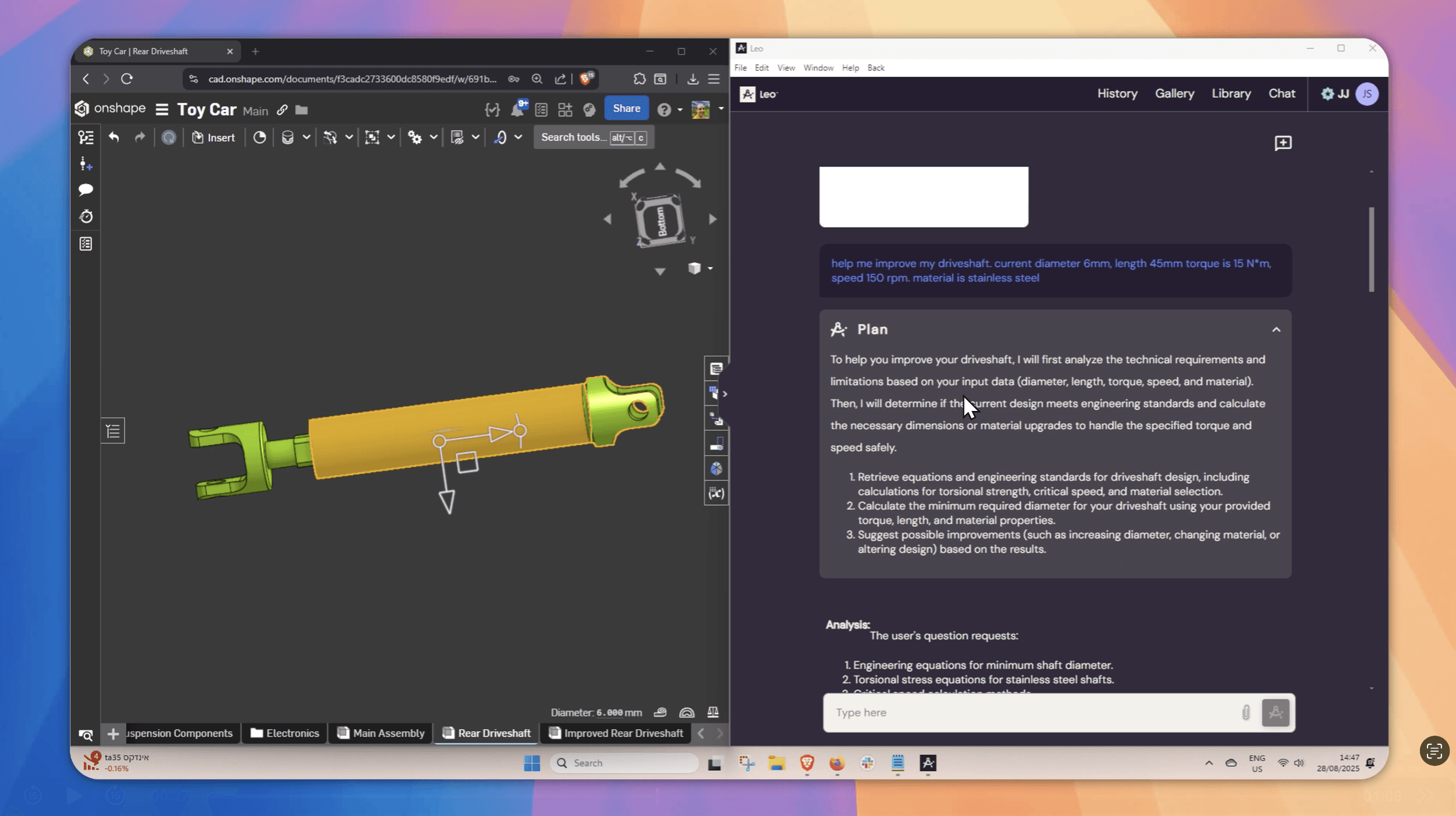
The New Workflow: Leo AI + Onshape by PTC
With Onshape by PTC, you can quickly find the relevant part within the complex assembly.
Check with Leo AI to get accurate technical insights, and then relay that information back into Onshape to make your design fix.
This seamless workflow is designed to:
Save engineers time
Improve accuracy
Eliminate unnecessary rework
Plain Language Guidance
With Leo, engineers just request in plain language:
“Help me improve my design”
Leo then provides:
Step-by-step guidance
Links to the right doc or standard
Mistake prevention in minutes
Save Time, Reduce Errors, Increase Confidence
Engineers using Leo AI report:
Saving up to 5 hours per week per engineer
Increasing part reuse by 34%
Reducing design mistakes by 32%
FAQ
Stop Wasting Hours on Manual CAD Search
Leo AI turns your existing vault into a searchable knowledge base.
Leo AI connects to your PDM and makes every part findable by description in under 10 seconds. <a href="/onboarding">Try Leo Today</a>
Schedule a Demo →

#1 New AI Software Globally - G2 2026

Enterprise-grade security

Trusted by world-class engineering teams




