

AI for Engineering Knowledge Management
The Complete Guide to SOLIDWORKS Enterprise Integration: PLM, PDM, and Knowledge Management
The Complete Guide to SOLIDWORKS Enterprise Integration: PLM, PDM, and Knowledge Management
The Complete Guide to SOLIDWORKS Enterprise Integration: PLM, PDM, and Knowledge Management
Complete guide to integrating SOLIDWORKS with PDM, PLM, and knowledge management systems. Architecture, implementation roadmap, and proven strategies for 200+ seat deployments.
·
⏱
19 min read

Michelle Ben-David
Product Specialist, Leo AI
Product Specialist, Leo AI
Mechanical Engineer, B.Sc. · Ex-Officer, Elite Tech Unit · Aerospace & Defence · Medical Devices
Mechanical Engineer, B.Sc. · Ex-Officer, Elite Tech Unit · Aerospace & Defence · Medical Devices
Michelle Ben-David is a mechanical engineer and Technion graduate. She served in an IDF elite technology and intelligence unit, where she developed multidisciplinary systems integrating mechanics, electronics, and advanced algorithms. Her engineering background spans robotics, medical devices, and automotive systems.
BOTTOM LINE
The right AI for CAD isn't the one with the best demo — it's the one that integrates with how your team actually works and makes engineering decisions faster and more reliable. Tools built on general language models can't replace the domain depth that mechanical engineering requires.
Start with a pilot on one workflow, measure the time impact, and expand from there. The teams seeing the biggest ROI are those treating AI as a technical colleague, not a search engine.
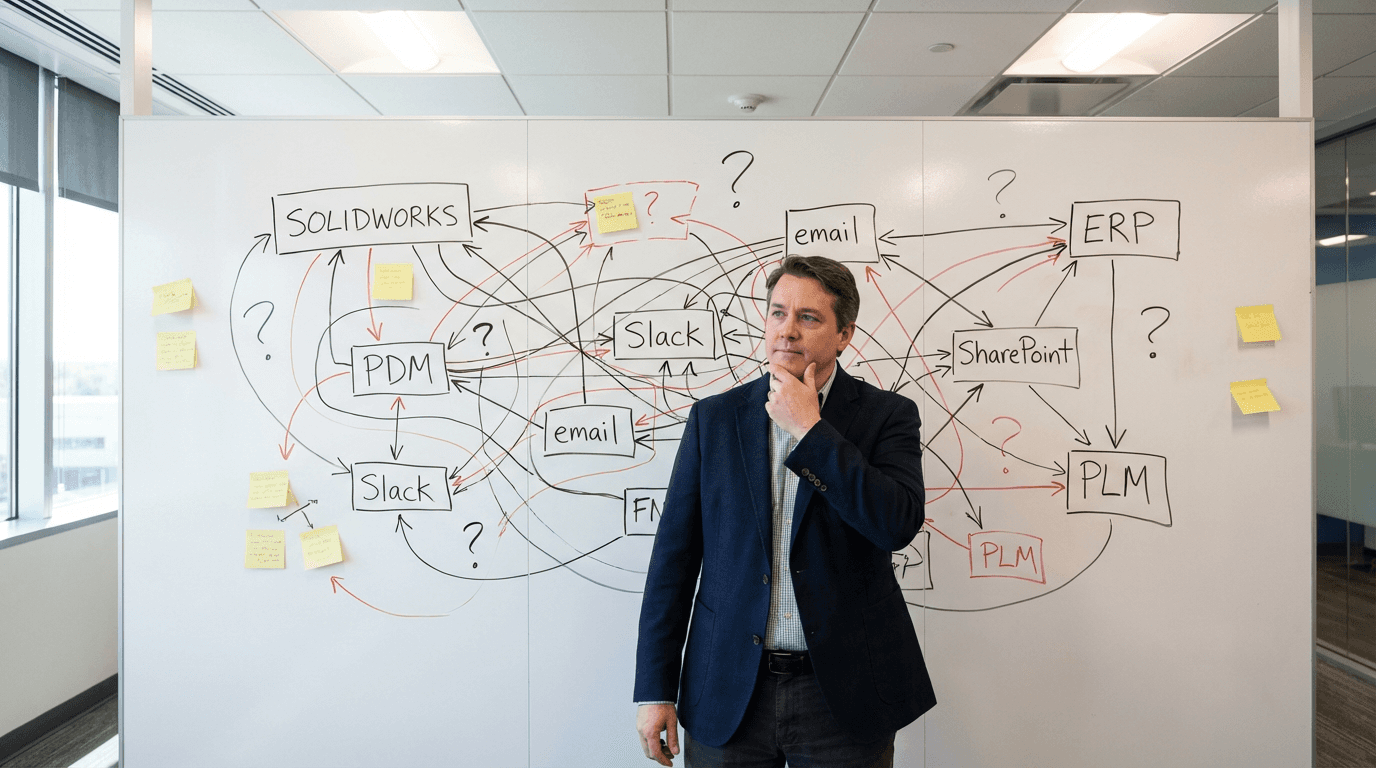
Your engineering team uses 12 different systems. None of them talk to each other. This is costing you millions.
Engineers spend 15-20% of their day searching for information across disconnected systems. They switch between SOLIDWORKS, PDM vault, email, Slack, SharePoint, ERP, PLM, specification documents, vendor portals, testing databases, and more. Each switch breaks concentration and wastes time.
According to research from McKinsey, poor integration between engineering tools costs large organizations $2-5M annually in lost productivity, data silos, version control issues, and collaboration friction.
For a 200-seat SOLIDWORKS deployment, the math is clear:
200 engineers × 6 hours/week searching × 48 weeks × $85/hour = $4,896,000 in annual waste
This article provides a comprehensive integration strategy for enterprise SOLIDWORKS environments, including architecture patterns, implementation roadmap, security requirements, and proven approaches for connecting PDM, PLM, collaboration tools, and AI-powered knowledge management.
The Enterprise SOLIDWORKS Ecosystem: Understanding the Layers
Before integrating, understand what you're connecting.
Core Layer: SOLIDWORKS CAD
What it does: 3D design, assemblies, drawings, simulations
Data generated:
Part files (.sldprt)
Assembly files (.sldasm)
Drawing files (.slddrw)
Design tables and configurations
Simulation results
Design intent and constraints
Integration requirements: Direct API access, file system integration, metadata extraction
Layer 1: PDM/PLM (Data Management)
What it does: Version control, workflow automation, access control, change management
Common systems:
SOLIDWORKS PDM Professional/Standard
PTC Windchill
Siemens Teamcenter
Dassault ENOVIA
Arena PLM
Custom PLM systems
Data managed:
CAD file versions and revisions
Bill of materials (BOM)
Check-in/check-out status
Approval workflows
Design change orders
Release states
Integration requirements: Real-time synchronization, workflow triggers, permission mapping
Layer 2: Collaboration Tools (Communication)
What they do: Team communication, document sharing, project coordination
Common systems:
Microsoft Teams
Slack
Email (Outlook, Gmail)
SharePoint
Confluence
Notion
Data exchanged:
Design discussions and decisions
File sharing and reviews
Meeting notes and action items
Project updates
Questions and answers
Integration requirements: Searchable archives, file link sharing, notification routing
Layer 3: Business Systems (Operations)
What they do: Enterprise resource planning, customer management, supply chain
Common systems:
ERP (SAP, Oracle, Microsoft Dynamics)
CRM (Salesforce, HubSpot)
MRP/MES systems
Quality management (QMS)
Supply chain management
Data exchanged:
BOM data to manufacturing
Cost estimates to finance
Part numbers to inventory
Product specifications to sales
Quality data to engineering
Integration requirements: Data transformation, scheduled sync, error handling
Layer 4: Knowledge Management (The Missing Link)
What it does: Capture, organize, and surface tribal knowledge and design rationale
What's broken:
Design decisions live in email threads
Failure knowledge exists only in heads of senior engineers
"Why" behind designs is undocumented
Past project learnings are inaccessible
Context switching to find information wastes 6-8 hours/week
Data needed:
Design rationales and decisions
Lessons learned from past projects
Failure modes and workarounds
Vendor performance history
Manufacturing constraints
Integration requirements: AI-powered semantic search, automated knowledge capture, proactive knowledge delivery
Key Insight: Most companies integrate Layers 1-3 reasonably well. Layer 4 (knowledge management) is where enterprise integration fails, and where the biggest productivity gains exist.
The Enterprise SOLIDWORKS Ecosystem: Understanding the Layers
Before integrating, understand what you're connecting.
Core Layer: SOLIDWORKS CAD
What it does: 3D design, assemblies, drawings, simulations
Data generated:
Part files (.sldprt)
Assembly files (.sldasm)
Drawing files (.slddrw)
Design tables and configurations
Simulation results
Design intent and constraints
Integration requirements: Direct API access, file system integration, metadata extraction
Layer 1: PDM/PLM (Data Management)
What it does: Version control, workflow automation, access control, change management
Common systems:
SOLIDWORKS PDM Professional/Standard
PTC Windchill
Siemens Teamcenter
Dassault ENOVIA
Arena PLM
Custom PLM systems
Data managed:
CAD file versions and revisions
Bill of materials (BOM)
Check-in/check-out status
Approval workflows
Design change orders
Release states
Integration requirements: Real-time synchronization, workflow triggers, permission mapping
Layer 2: Collaboration Tools (Communication)
What they do: Team communication, document sharing, project coordination
Common systems:
Microsoft Teams
Slack
Email (Outlook, Gmail)
SharePoint
Confluence
Notion
Data exchanged:
Design discussions and decisions
File sharing and reviews
Meeting notes and action items
Project updates
Questions and answers
Integration requirements: Searchable archives, file link sharing, notification routing
Layer 3: Business Systems (Operations)
What they do: Enterprise resource planning, customer management, supply chain
Common systems:
ERP (SAP, Oracle, Microsoft Dynamics)
CRM (Salesforce, HubSpot)
MRP/MES systems
Quality management (QMS)
Supply chain management
Data exchanged:
BOM data to manufacturing
Cost estimates to finance
Part numbers to inventory
Product specifications to sales
Quality data to engineering
Integration requirements: Data transformation, scheduled sync, error handling
Layer 4: Knowledge Management (The Missing Link)
What it does: Capture, organize, and surface tribal knowledge and design rationale
What's broken:
Design decisions live in email threads
Failure knowledge exists only in heads of senior engineers
"Why" behind designs is undocumented
Past project learnings are inaccessible
Context switching to find information wastes 6-8 hours/week
Data needed:
Design rationales and decisions
Lessons learned from past projects
Failure modes and workarounds
Vendor performance history
Manufacturing constraints
Integration requirements: AI-powered semantic search, automated knowledge capture, proactive knowledge delivery
Key Insight: Most companies integrate Layers 1-3 reasonably well. Layer 4 (knowledge management) is where enterprise integration fails, and where the biggest productivity gains exist.
IN PRACTICE
Enterprise Architecture for SOLIDWORKS
"The connection to our PDM and using that as a data source is legit the best thing ever. I found three viable bracket options fitting my exact envelope constraints — in minutes, not days."
— Eytan S., R&D Engineer
The Cost of Poor Integration
Quantifying the problem makes the ROI of integration obvious.
Time Waste: Engineers as Information Hunters
Typical engineer's information search pattern:
Question: "What material did we use for the housing on Product X?"
Search process:
Check PDM vault (5 minutes) - find part file but no material notes
Search email for "Product X material" (8 minutes) - too many results
Check Slack history (6 minutes) - find discussion but no conclusion
Look in SharePoint project folder (7 minutes) - outdated specs
Ask colleague who worked on it (wait 2-4 hours for response)
Total time: 26 minutes active searching + 2-4 hours waiting = Lost productivity and broken focus
Scale to team:
200 engineers × 8 searches/day × 20 minutes average = 26,667 hours/year
26,667 hours × $85/hour = $2,266,695 in search time waste
Data Silos: Knowledge Trapped in Disconnected Systems
Where critical engineering knowledge lives:
Design rationales: Engineer's head (70%), Email (20%), PDM comments (10%)
Failure lessons: Engineer's head (80%), Meeting notes (15%), Nowhere (5%)
Vendor issues: Email threads (60%), Engineer's head (30%), Shared drive (10%)
Manufacturing constraints: Production floor knowledge (70%), Email (20%), Specs (10%)
Impact: New engineers can't access this knowledge. Onboarding takes 9-12 months instead of 3-4 months. Mistakes repeat because lessons aren't accessible.
Version Control Chaos: "Which File is Current?"
Common scenario:
Latest CAD file in PDM vault
Newer version emailed around for quick review
"Final" version in SharePoint project folder
Production using different version from last release
Consequences:
Manufacturing builds wrong version
Customer gets incorrect specifications
Engineers make changes to outdated files
Quality issues from version mismatches
Cost: One version control error causing production rework = $50K-$500K
Collaboration Friction: Information Doesn't Flow
The broken telephone game:
Engineering makes design change
Change doesn't sync to ERP
Manufacturing orders wrong components
Production line stops waiting for correct parts
3-day delay costs $180K in lost production
Root cause: Systems don't talk to each other. Changes require manual entry in multiple places. Human error is inevitable.
Security Risks: Data in Uncontrolled Locations
How it happens:
Engineer can't find file in PDM
Searches email, finds outdated version
Works on outdated file, sends via email
File now exists outside PDM control
No audit trail, no access control
Consequences:
IP leaked to unauthorized users
Regulatory compliance violations
Unable to prove data lineage
Security audit failures
Cost: Single IP leak or compliance violation = $500K-$5M+ in legal/regulatory costs
The Cost of Poor Integration
Quantifying the problem makes the ROI of integration obvious.
Time Waste: Engineers as Information Hunters
Typical engineer's information search pattern:
Question: "What material did we use for the housing on Product X?"
Search process:
Check PDM vault (5 minutes) - find part file but no material notes
Search email for "Product X material" (8 minutes) - too many results
Check Slack history (6 minutes) - find discussion but no conclusion
Look in SharePoint project folder (7 minutes) - outdated specs
Ask colleague who worked on it (wait 2-4 hours for response)
Total time: 26 minutes active searching + 2-4 hours waiting = Lost productivity and broken focus
Scale to team:
200 engineers × 8 searches/day × 20 minutes average = 26,667 hours/year
26,667 hours × $85/hour = $2,266,695 in search time waste
Data Silos: Knowledge Trapped in Disconnected Systems
Where critical engineering knowledge lives:
Design rationales: Engineer's head (70%), Email (20%), PDM comments (10%)
Failure lessons: Engineer's head (80%), Meeting notes (15%), Nowhere (5%)
Vendor issues: Email threads (60%), Engineer's head (30%), Shared drive (10%)
Manufacturing constraints: Production floor knowledge (70%), Email (20%), Specs (10%)
Impact: New engineers can't access this knowledge. Onboarding takes 9-12 months instead of 3-4 months. Mistakes repeat because lessons aren't accessible.
Version Control Chaos: "Which File is Current?"
Common scenario:
Latest CAD file in PDM vault
Newer version emailed around for quick review
"Final" version in SharePoint project folder
Production using different version from last release
Consequences:
Manufacturing builds wrong version
Customer gets incorrect specifications
Engineers make changes to outdated files
Quality issues from version mismatches
Cost: One version control error causing production rework = $50K-$500K
Collaboration Friction: Information Doesn't Flow
The broken telephone game:
Engineering makes design change
Change doesn't sync to ERP
Manufacturing orders wrong components
Production line stops waiting for correct parts
3-day delay costs $180K in lost production
Root cause: Systems don't talk to each other. Changes require manual entry in multiple places. Human error is inevitable.
Security Risks: Data in Uncontrolled Locations
How it happens:
Engineer can't find file in PDM
Searches email, finds outdated version
Works on outdated file, sends via email
File now exists outside PDM control
No audit trail, no access control
Consequences:
IP leaked to unauthorized users
Regulatory compliance violations
Unable to prove data lineage
Security audit failures
Cost: Single IP leak or compliance violation = $500K-$5M+ in legal/regulatory costs
PDM Integration Best Practices
Product Data Management is the foundation. Get this right first.
SOLIDWORKS PDM Professional vs. Standard
When to use PDM Standard:
Single-site deployment
<50 users
Basic version control needs
Limited workflow requirements
Budget constraints
When to use PDM Professional:
Multi-site deployment
50+ users
Complex approval workflows
Advanced search requirements
Integration with ERP/PLM
Enterprise-grade security needs
Migration consideration: Most enterprises outgrow PDM Standard within 2-3 years. Plan for Professional from the start if you anticipate growth.
Vault Structure and Organization
Best practices:
Single vault vs. multiple vaults:
Single vault: Easier administration, unified search, simpler permissions
Multiple vaults: Better performance at scale, separate security domains, isolated product lines
Recommendation for 200+ seats: Multiple vaults by division or product line, with federated search across all vaults
Folder structure:
/Projects
/Active
/Product-A
/Product-B
/Archived
/Templates
/Libraries
/Standard-Parts
/Purchased-Components
/Administration
/Workflows
/Templates
Critical rules:
Never store CAD files outside vault
Use consistent naming conventions
Leverage folder permissions, not file-level
Archive completed projects annually
Regular cleanup of orphaned files
Workflow Automation
What to automate:
Design release workflow:
Engineer submits design for review
Auto-notify design lead
Lead approves/rejects with comments
Auto-transition to manufacturing review
Manufacturing approves/rejects
Auto-transition to released state
Auto-notify all stakeholders
Change order workflow:
Change request initiated
Impact assessment auto-assigned to relevant engineers
Approval routing based on change magnitude
Implementation tracking
Verification and release
Benefits:
60% reduction in approval cycle time
Audit trail automatically created
No changes fall through cracks
Consistent process across organization
Permission and Access Control
Role-based access control (RBAC) structure:
Roles:
Engineers: Read/write to projects, read-only to released
Senior Engineers: All engineer permissions + approval authority
Manufacturing: Read-only CAD, read/write to manufacturing data
Management: Read all, approval authority
IT/Admin: Full access for administration
Best practices:
Group-based permissions, not individual users
Least privilege principle (minimum access required)
Regular access reviews (quarterly)
Automated deprovisioning when employees leave
Audit logging of all access and changes
Search and Retrieval Optimization
Why PDM search often fails:
Keyword-based only (doesn't understand context)
Searches filenames and metadata, not content
No semantic understanding
Results not ranked by relevance
How to improve:
Traditional approach:
Mandate metadata entry (rarely followed)
Standardized naming conventions (partially adopted)
Detailed folder organization (becomes complex)
AI-enhanced approach:
Semantic search understands design intent
Searches file content, not just names
Learns from usage patterns
Ranks results by relevance and recency
Natural language queries: "show me housings for Product X"
Impact: Search time reduced from 15-30 minutes to <30 seconds
PDM Integration Best Practices
Product Data Management is the foundation. Get this right first.
SOLIDWORKS PDM Professional vs. Standard
When to use PDM Standard:
Single-site deployment
<50 users
Basic version control needs
Limited workflow requirements
Budget constraints
When to use PDM Professional:
Multi-site deployment
50+ users
Complex approval workflows
Advanced search requirements
Integration with ERP/PLM
Enterprise-grade security needs
Migration consideration: Most enterprises outgrow PDM Standard within 2-3 years. Plan for Professional from the start if you anticipate growth.
Vault Structure and Organization
Best practices:
Single vault vs. multiple vaults:
Single vault: Easier administration, unified search, simpler permissions
Multiple vaults: Better performance at scale, separate security domains, isolated product lines
Recommendation for 200+ seats: Multiple vaults by division or product line, with federated search across all vaults
Folder structure:
/Projects
/Active
/Product-A
/Product-B
/Archived
/Templates
/Libraries
/Standard-Parts
/Purchased-Components
/Administration
/Workflows
/Templates
Critical rules:
Never store CAD files outside vault
Use consistent naming conventions
Leverage folder permissions, not file-level
Archive completed projects annually
Regular cleanup of orphaned files
Workflow Automation
What to automate:
Design release workflow:
Engineer submits design for review
Auto-notify design lead
Lead approves/rejects with comments
Auto-transition to manufacturing review
Manufacturing approves/rejects
Auto-transition to released state
Auto-notify all stakeholders
Change order workflow:
Change request initiated
Impact assessment auto-assigned to relevant engineers
Approval routing based on change magnitude
Implementation tracking
Verification and release
Benefits:
60% reduction in approval cycle time
Audit trail automatically created
No changes fall through cracks
Consistent process across organization
Permission and Access Control
Role-based access control (RBAC) structure:
Roles:
Engineers: Read/write to projects, read-only to released
Senior Engineers: All engineer permissions + approval authority
Manufacturing: Read-only CAD, read/write to manufacturing data
Management: Read all, approval authority
IT/Admin: Full access for administration
Best practices:
Group-based permissions, not individual users
Least privilege principle (minimum access required)
Regular access reviews (quarterly)
Automated deprovisioning when employees leave
Audit logging of all access and changes
Search and Retrieval Optimization
Why PDM search often fails:
Keyword-based only (doesn't understand context)
Searches filenames and metadata, not content
No semantic understanding
Results not ranked by relevance
How to improve:
Traditional approach:
Mandate metadata entry (rarely followed)
Standardized naming conventions (partially adopted)
Detailed folder organization (becomes complex)
AI-enhanced approach:
Semantic search understands design intent
Searches file content, not just names
Learns from usage patterns
Ranks results by relevance and recency
Natural language queries: "show me housings for Product X"
Impact: Search time reduced from 15-30 minutes to <30 seconds
PLM System Integration
Enterprise PLM connects engineering to the entire product lifecycle.
Top PLM Systems for SOLIDWORKS Integration
PLM System | Best For | SOLIDWORKS Integration | Typical Cost |
PTC Windchill | Aerospace, defense, industrial | Native integration, strong | $800-1,200/seat |
Siemens Teamcenter | Automotive, high-volume mfg | Excellent, comprehensive | $1,000-1,500/seat |
Dassault ENOVIA | Companies in Dassault ecosystem | Native (same company) | $900-1,400/seat |
Arena PLM | Electronics, cloud-first orgs | Good, cloud-native | $600-900/seat |
Aras Innovator | Flexibility/customization needs | Strong, open architecture | $400-700/seat |
Selection criteria:
Industry fit and reference customers
SOLIDWORKS integration maturity
Scalability to your growth plans
Cloud vs. on-premise requirements
Total cost of ownership (licensing + implementation + maintenance)
Integration Patterns and Architectures
Pattern 1: Direct Integration
SOLIDWORKS plugin communicates directly with PLM
Real-time synchronization
Tight coupling, best performance
More complex to maintain
Pattern 2: Middleware Integration
Integration platform (e.g., MuleSoft, Dell Boomi) sits between systems
Transforms data between SOLIDWORKS/PDM and PLM
Loose coupling, easier to change
Additional infrastructure required
Pattern 3: File-Based Integration
Scheduled export/import of files and metadata
Simplest to implement
Batch processing, not real-time
Risk of sync issues
Recommendation for 200+ seats: Combination of Pattern 1 (real-time CAD data) and Pattern 2 (business data) with proper error handling and monitoring
Data Synchronization Strategies
What to sync:
Part metadata (number, description, material, etc.)
BOM structure (as-designed vs. as-manufactured)
Document references (specs, drawings, certifications)
Change orders and revision history
Approval status and workflow states
Sync frequency:
CAD metadata: Real-time on check-in
BOM data: On release state change
Change orders: Real-time
Reference documents: On-demand or daily batch
Conflict resolution:
Define system of record for each data type
One-way sync where possible (reduces conflicts)
Automated conflict detection with manual resolution
Clear escalation path for sync failures
BOM Management Across Systems
The BOM challenge: Engineering BOM (EBOM) in SOLIDWORKS ≠ Manufacturing BOM (MBOM) in ERP
Differences:
EBOM: As-designed, component-centric, hierarchical
MBOM: As-manufactured, process-centric, includes consumables/labor
Integration approach:
EBOM generated from SOLIDWORKS assembly
EBOM synced to PLM on release
Manufacturing transforms EBOM → MBOM in PLM
MBOM synced to ERP for production planning
Critical success factors:
Clear ownership (engineering owns EBOM, manufacturing owns MBOM)
Version control and change tracking
Automated validation (flag mismatches)
Regular reconciliation between systems

PLM System Integration
Enterprise PLM connects engineering to the entire product lifecycle.
Top PLM Systems for SOLIDWORKS Integration
PLM System | Best For | SOLIDWORKS Integration | Typical Cost |
PTC Windchill | Aerospace, defense, industrial | Native integration, strong | $800-1,200/seat |
Siemens Teamcenter | Automotive, high-volume mfg | Excellent, comprehensive | $1,000-1,500/seat |
Dassault ENOVIA | Companies in Dassault ecosystem | Native (same company) | $900-1,400/seat |
Arena PLM | Electronics, cloud-first orgs | Good, cloud-native | $600-900/seat |
Aras Innovator | Flexibility/customization needs | Strong, open architecture | $400-700/seat |
Selection criteria:
Industry fit and reference customers
SOLIDWORKS integration maturity
Scalability to your growth plans
Cloud vs. on-premise requirements
Total cost of ownership (licensing + implementation + maintenance)
Integration Patterns and Architectures
Pattern 1: Direct Integration
SOLIDWORKS plugin communicates directly with PLM
Real-time synchronization
Tight coupling, best performance
More complex to maintain
Pattern 2: Middleware Integration
Integration platform (e.g., MuleSoft, Dell Boomi) sits between systems
Transforms data between SOLIDWORKS/PDM and PLM
Loose coupling, easier to change
Additional infrastructure required
Pattern 3: File-Based Integration
Scheduled export/import of files and metadata
Simplest to implement
Batch processing, not real-time
Risk of sync issues
Recommendation for 200+ seats: Combination of Pattern 1 (real-time CAD data) and Pattern 2 (business data) with proper error handling and monitoring
Data Synchronization Strategies
What to sync:
Part metadata (number, description, material, etc.)
BOM structure (as-designed vs. as-manufactured)
Document references (specs, drawings, certifications)
Change orders and revision history
Approval status and workflow states
Sync frequency:
CAD metadata: Real-time on check-in
BOM data: On release state change
Change orders: Real-time
Reference documents: On-demand or daily batch
Conflict resolution:
Define system of record for each data type
One-way sync where possible (reduces conflicts)
Automated conflict detection with manual resolution
Clear escalation path for sync failures
BOM Management Across Systems
The BOM challenge: Engineering BOM (EBOM) in SOLIDWORKS ≠ Manufacturing BOM (MBOM) in ERP
Differences:
EBOM: As-designed, component-centric, hierarchical
MBOM: As-manufactured, process-centric, includes consumables/labor
Integration approach:
EBOM generated from SOLIDWORKS assembly
EBOM synced to PLM on release
Manufacturing transforms EBOM → MBOM in PLM
MBOM synced to ERP for production planning
Critical success factors:
Clear ownership (engineering owns EBOM, manufacturing owns MBOM)
Version control and change tracking
Automated validation (flag mismatches)
Regular reconciliation between systems
FAQ
Stop Wasting Hours on Manual CAD Search
Leo AI turns your existing vault into a searchable knowledge base.
Leo AI connects to your PDM and makes every part findable by description in under 10 seconds. <a href="/onboarding">Try Leo Today</a>
Schedule a Demo →

#1 New AI Software Globally - G2 2026

Enterprise-grade security

Trusted by world-class engineering teams
Recommended

Subscribe to our engineering newsletter
Be the first to know about Leo's newest capabilities and get practical tips to boost your engineering.
Need help? Join the Leo AI Community
Connect with other engineers, get answers from our team, and request features.



#1 New Software
Globally
All Industries
#12 AI Tool
Worldwide
G2 2026


© 2026 Leo AI, Inc.
Be the first to know about Leo's newest capabilities and get practical tips to boost your engineering.
Connect with other engineers, get answers from our team, and request features.
#1 New Software
Globally
All Industries
#12 AI Tool
Worldwide
G2 2026
© 2026 Leo AI, Inc.
Subscribe to our engineering newsletter
Be the first to know about Leo's newest capabilities and get practical tips to boost your engineering.
Need help? Join the Leo AI Community
Connect with other engineers, get answers from our team, and request features.
#1 New Software
Globally
All Industries
#12 AI Tool
Worldwide
G2 2026
© 2026 Leo AI, Inc.
Subscribe to our engineering newsletter
Be the first to know about Leo's newest capabilities and get practical tips to boost your engineering.
Need help? Join the Leo AI Community
Connect with other engineers, get answers from our team, and request features.
#1 New Software
Globally
All Industries
#12 AI Tool
Worldwide
G2 2026
© 2026 Leo AI, Inc.