
AI for Engineering Productivity
Check an AI engineering solver with a statics problem: a 4 kN midspan beam, hand results for stress and deflection, and four planted errors to catch.
·
⏱
5 min read

Dr. Maor Farid
Maor Farid is the Co-Founder and CEO of Leo AI, the first AI platform purpose-built for mechanical engineers. He holds a PhD in Mechanical Engineering and completed postdoctoral research at MIT as a Fulbright fellow. A Forbes 30 Under 30 honoree and former AI researcher and Mechanical Engineer in an elite military intelligence, Maor leads Leo AI's mission to transform how engineering teams design better products faster.
BOTTOM LINE
Grade an AI engineering solver on a statics problem you solved by hand. On the 20 mm by 40 mm beam here it must return 2,000 N reactions, 1,200,000 N·mm, 225 MPa and 6.75 mm, with units. Score 10 problems before trusting it on a design, then use Leo for the calculation step.
To check an AI engineering solver, give it a statics problem you have already solved by hand and compare four numbers: the support reactions, the peak bending moment, the bending stress and the midspan deflection. A solver that matches all four, with units stated, has passed the first test. A solver that misses one has a formula or unit error that the rest of its answer hides.
If you size brackets, shafts or fixtures and need to know whether an AI answer can go into your calculation sheet, this page gives you one beam, one answer key and four errors to plant.
A wrong beam answer looks as confident as a right one
Swapping width and height in a rectangular section is a common slip in a bending calculation, and it is easy to reproduce. For the 20 mm by 40 mm beam used on this page, the correct peak stress is 225 MPa and the correct midspan deflection is 6.75 mm. With width and height swapped, the same formulas return 450 MPa and 27.0 mm: twice the stress and four times the deflection.
Both results arrive with the same number of decimals and the same tone. Only a comparison with a known result separates them.
Unit mixing is the second failure. Entering the span in metres while the modulus stays in MPa returns a deflection of 6.75e-09, a number in no consistent unit that can pass for a very stiff beam.
Hand calculations carry the same risks. The aim is a repeatable test with a known answer, not blanket distrust of AI.
IN PRACTICE
Leo uses a Large Mechanical Model trained on 1M+ technical sources. It also provides citations, so we don't have to guess whether a material property or tolerance is correct. We see 96% accuracy on technical queries.
- Dorian G., AI Engineer
The hand check takes five steps and one handbook formula
Run this sequence on paper first. It is the answer key the solver is graded against.
Draw the free-body diagram and find the reactions from equilibrium. For a midspan load on a simply supported beam, each support carries P/2.
Find the peak bending moment. For three-point bending it is PL/4, at midspan.
Compute the second moment of area. For a rectangle, I = bh³/12, with h measured in the bending direction.
Compute the peak stress, σ = Mc/I, where c is the distance from the neutral axis to the outer fibre.
Compute the midspan deflection, δ = PL³/(48EI), the expression MIT's mechanics notes give for a beam loaded at its center and simply supported at its edges.
Step 5 normally comes from a handbook table. The same MIT notes say design engineers usually consult handbook tabulations of deflection formulas, so the answer key above is ordinary practice, not an academic exercise.
Worked example: 4 kN at midspan on a 20 mm by 40 mm bar
The problem states every input, so the answer key depends on no material table. Calculated in Python on 2026-11-05 with the inputs below.
Input | Value |
|---|---|
Load P at midspan | 4,000 N |
Span L | 1,200 mm |
Section width b | 20 mm |
Section depth h | 40 mm |
Elastic modulus E (given in the problem) | 200,000 MPa |
Quantity | Formula | Result |
|---|---|---|
Reactions at each support | P/2 | 2,000 N |
Peak moment | PL/4 | 1,200,000 N·mm |
Second moment of area | bh³/12 | 106,667 mm⁴ |
Peak stress, c = 20 mm | Mc/I | 225 MPa |
Midspan deflection | PL³/(48EI) | 6.75 mm |
The problem names no steel grade, so it makes no safety claim. Compare 225 MPa with the yield strength on your own datasheet, and for sign-off on a real part have a licensed engineer check the result against the applicable code.
Plant four known errors and score the solver in one week
Build a set of 10 problems you have solved by hand and record the four numbers for each. Then compare the solver's answers with the wrong results below. If a solver number equals one of them, trace that line first.
Slip | Wrong result | Correct result |
|---|---|---|
Width and depth swapped | 450 MPa, 27.0 mm | 225 MPa, 6.75 mm |
Moment taken as PL/2 | 450 MPa | 225 MPa |
Half span used in PL/4 | 112.5 MPa | 225 MPa |
Span in m, modulus in MPa | 6.75e-09 | 6.75 mm |
Run these four tests during the week:
Score all 10 problems. Pass: at least 9 match your hand result within 1% on all four numbers.
Enter one problem in mm and MPa, then again in m and Pa. Pass: results agree to 3 significant figures.
Ask for the source of each formula. Pass: every formula points to a page, table or standard you can open.
Enter the beam with the section described in words ("20 mm wide, 40 mm deep"). Pass: the solver uses 40 mm as h without prompting.
For more problem types, see calculations against ASME and ISO standards and the wider AI for engineering calculations overview.
Run the beam check in Leo and grade it against your hand result
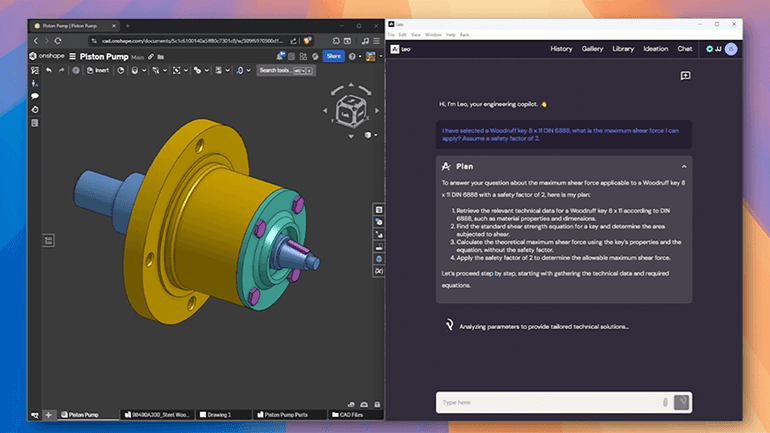
Give Leo the worked-example problem in plain language: span, load position, section size and modulus. Leo runs engineering calculations with cited formula sources, from stress analysis to component sizing, and returns calculation documents you can keep. Grade that document with the four tests above. The 2,000 N reactions, the 1,200,000 N·mm moment, 225 MPa and 6.75 mm should each appear with units and a source you can open.
If Leo's number differs from your hand result, the difference points to the line to inspect. Your hand result stays the reference until the two agree.
One limit: Leo is not a simulation solver. It reads results from your analysis tool and flags when a study is needed, so a stress concentration at a hole or a fillet still needs a simulation run.
The calculation can start from a part in your connected CAD and PLM, and Leo's security page covers how that data is handled. For more beam, shaft and bolt problems, see the calculation accuracy comparison and the column buckling example.
FAQ
Beam Displacements (D. Roylance), MIT OpenCourseWare 3.11 Mechanics of Materials, accessed 2026-11-05
9 Stresses: Beams in Bending, MIT OpenCourseWare 1.050 Solid Mechanics, accessed 2026-11-05
Leo AI FAQ: AI for Mechanical Engineering, Leo AI, accessed 2026-11-05
Test Leo on your own calculation
Bring one problem you have already solved by hand and compare the answers.
Send an applications engineer one calculation from your own work, such as a beam or a bolted joint. They run it in Leo and show the formula, source and units so you can check each step.

#1 New AI Software Globally - G2 2026

Enterprise-grade security

Trusted by world-class engineering teams