4 Best Cloud-Based CAD Iteration Assistants

4 cloud CAD assistants tested: Which AI copilot integrates with your PLM workflow? Compare features, pricing and iteration speed.

4 Best Cloud-Based CAD Iteration Assistants

4 cloud CAD assistants tested: Which AI copilot integrates with your PLM workflow? Compare features, pricing and iteration speed.

4 Best Cloud-Based CAD Iteration Assistants

4 cloud CAD assistants tested: Which AI copilot integrates with your PLM workflow? Compare features, pricing and iteration speed.

Leo Team

Jan 13, 2026

Choosing a cloud-based CAD iteration assistant involves far more than comparing feature lists. Mechanical engineers must…


  1. Weigh data security and intellectual property protection (especially when design files move to the cloud).

  2. Integrate with existing PLM systems, CAD tools, and established workflows to determine whether the assistant accelerates your process or creates bottlenecks.

  3. Consider performance and reliability under heavy computational loads as they can make or break your design cycles, while determining if the true cost extends beyond subscription fees to include training time, IT resources, and measurable ROI.

  4. Think about the time you’ll have to invest. Every new tool carries a learning curve that affects team productivity during the transition period.


In this guide, we’ll examine the five best cloud-based CAD iteration assistants available today. We'll show you where to find these tools, what technical considerations matter most for mechanical engineering workflows, and how each platform handles common daily challenges.

TLDR


Picking a cloud-based CAD iteration assistant isn't just about features—you need to weigh data security, PLM integration, learning curves, and actual ROI. The four standouts right now:

  1. Leo AI: Domain-specific AI trained on 1M+ engineering sources. Turns text prompts into full CAD concepts. Claims +30% time savings.

  2. Autodesk Fusion: Unlimited generative design solutions, auto-constraints, and automated drawings. Real-time collab with solid version control.

  3. Onshape: Fully browser-based, real-time multi-user editing, built-in PDM. No file check-in/check-out headaches.

  4. PTC Creo+: Full Creo power plus cloud collaboration. Great for teams already in the PTC ecosystem who want branching and auto-sync.

Bottom line:


Startups and distributed teams should prioritize real-time collaboration and low overhead (Onshape). Enterprise teams with established PLM systems will care more about integration and security (Creo+). High end start up and enterprise teams with an overwhelmingly established PLM will find it important to stay ahead with simple part search and management (Leo AI). That said, everyone benefits from faster iterations, fewer errors, and less time wasted on manual tasks.

Where To Find Cloud-Based CAD Iteration Assistants


Engineering teams can find cloud-based CAD iteration assistants inside cloud-native CAD and PLM platforms that integrate AI through generative design features. Cloud-native CAD tools run directly in the browser, support real-time collaboration, provide automatic version control, and speed up each design cycle.


The assistant capability comes from AI-driven generative design, where engineers set goals, parameters, and constraints and the system produces a wide range of optimized design options. The workflow accelerates early-stage design exploration and helps teams iterate faster.

What To Consider When Choosing A Cloud-Based CAD Iteration Assistant


Mechanical engineers should consider:

  • Support for parametric and history-based modeling to maintain design intent and enable controlled modifications.

  • Integration options with PLM systems to improve workflows.

  • Features tailored to mechanical workflows, including sheet metal tools, frame generators, and code-based engineering calculations.

  • Capacity to manage large and complex assemblies while maintaining constraints and ensuring proper fit and function.

  • Compatibility with common industry file formats such as STEP and IGES to prevent data loss during collaboration.

  • Improved efficiency through reduced IT overhead, access to generative design, and advanced simulation capability.

  • High-quality 3D visualization for reviewing models from any angle and understanding real-world behavior.

  • Streamlined workflows supported by robust toolsets that simplify complex mechanical design tasks.

Summary Comparison: Best Cloud-Based CAD Iteration Assistants


Platform

Key AI/Generative Features

Benefit For Rapid Iteration

Leo AI

Domain-Specific AI (Large Mechanical Model) pulling from 1M+ engineering sources + your PLM data.

Conceptual design generation (images, documents, 3D models, product data sheets).

Automated calculations (stress, materials, physics, etc.) with citations.

Engineering Copilot for real-time, source-backed technical answers.

Accelerates early exploration & concept generation.

Reduces design mistakes via validated insights.

Automates repetitive engineering tasks.

Quickly generates and tests design concepts.

Autodesk Fusion

Generative Design with unlimited cloud solves.

Sketch AutoConstrain (AI auto-detects sketch constraints).

Automated Drawings generated from 3D models.

Explores many optimized design variations instantly.

Automates documentation and repetitive tasks.

Uses virtual simulations to cut prototyping time.

Onshape

Real-time multi-user collaboration (no file conflicts).

AI Advisor for in-context design guidance.

Built-in simulation for quick validate-iterate cycles.

Removes file management bottlenecks.

Enables multiple designers to iterate simultaneously.

Speeds up reviews and design changes.


PTC Creo+

Fully integrated Generative Design inside CAD/PLM.

Behavioral Modeling Extension (BMX) auto-optimizes design parameters.

Produces manufacturable, optimized design options fast.

Reduces time wasted on switching between tools.

Streamlines entire design, analysis, and manufacturing workflow.

4 Best Cloud-Based CAD Iteration Assistants


All four assistants below excel at accelerating iteration cycles and integrating smoothly into existing engineering workflows. Also, each platform brings distinct capabilities to design exploration, but they share a common strength: helping mechanical engineers move from concept to validated design faster, with less manual effort and fewer iterations wasted on unoptimized solutions.

1) Leo AI


Leo AI is a cloud-based generative AI tool that acts as an engineering and design copilot. It automates tasks like generating technical specs, exploring design concepts, building detailed CAD concepts, finding parts, and helps to optimize designs for manufacturing.

Why It’s A Good Option For CAD Iteration


Leo AI uses a specialized mechanical model capable of interpreting geometry, constraints, sketches, and design specifications, to help engineers quickly make concepts and understand potential failures in early stages of design, which reduces a lot of time and repetitive work. Companies report time and cost reductions of +30%, and engineers often save 5 hours per week by automating repetitive work.


Iteration speed improves because Leo can instantly produce multiple design variations and convert high-level descriptions into 3D detailed concepts. Rapid prototyping and early-stage concept development become easier for teams building mechanical components, consumer products, industrial parts, or hardware devices.


Leo provides accurate, context-aware suggestions and supports fast iterations through simple text prompts. Additionally, it immediately makes an influence in your CAD workflow by adapting its outputs from your prompts to streamline collaboration and speed up design iteration.

2) Autodesk Fusion


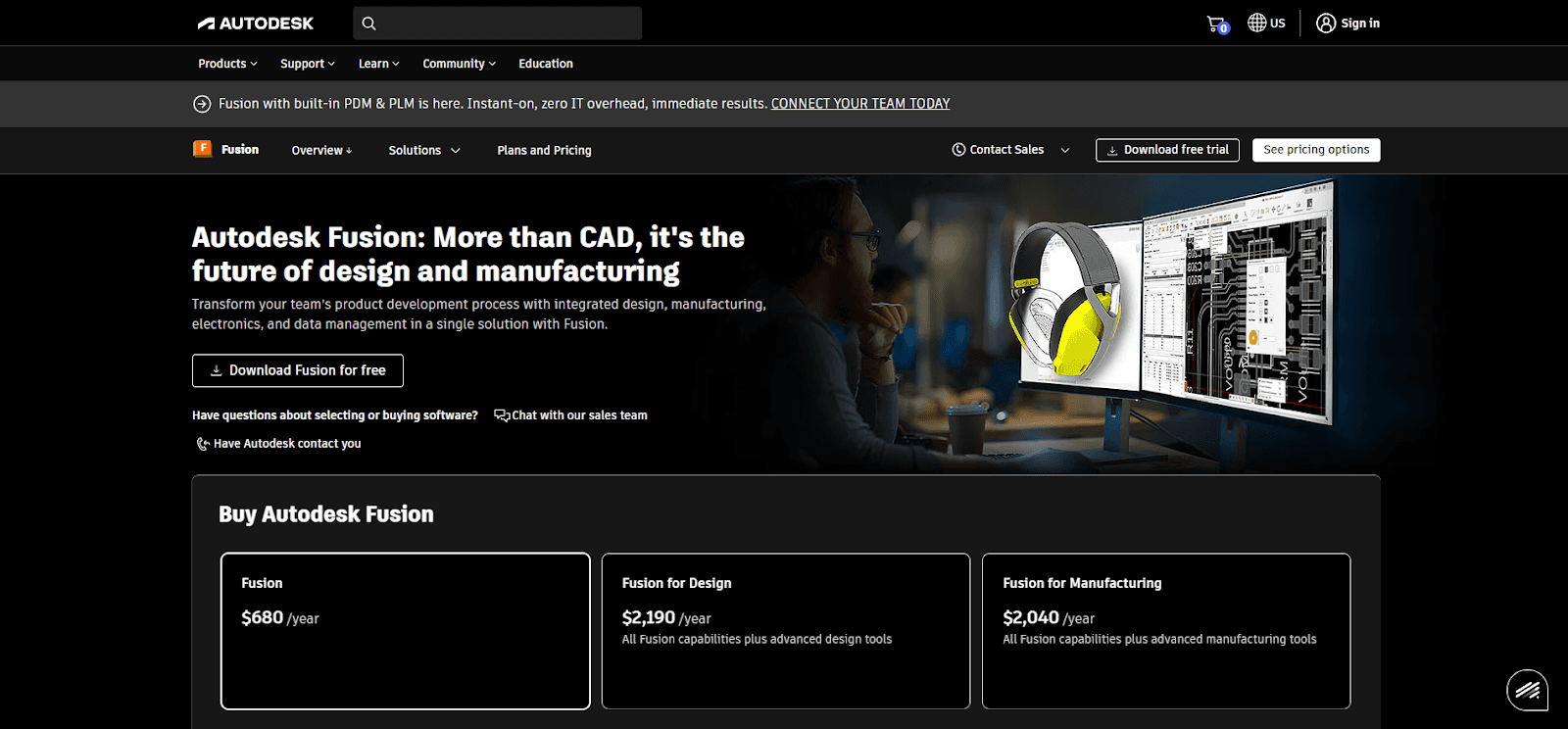
Autodesk Fusion is a cloud-based platform that unifies CAD, CAM, CAE, PCB design, data management, and collaboration for product development. It enables teams to work on the same models in real time from any location. The system supports design, simulation, engineering, manufacturing, and it includes built-in CAD assistants.

Why It’s A Good Option For CAD Iteration


Autodesk Fusion helps teams iterate faster by storing all design data in one place. CAD files, simulations, and documentation stay synced automatically, reducing errors and preventing teams from working on outdated versions. Built-in version tracking makes it simple to review changes, compare iterations, and roll back if needed.


Fusion supports real-time collaboration for distributed teams. Commenting, markups, and shared views let stakeholders, including clients and manufacturers, provide feedback without a CAD license.


Cloud access ensures everyone sees the latest design instantly, keeping projects organized and decisions aligned. Integrated manufacturing workflows allow design updates to flow directly into assemblies and toolpaths, cutting down on errors and the delays of exporting between different software.


Additionally, AI-driven generative design explores thousands of optimized options quickly to give teams strong starting points for further refinement. And companies like ReChaco have shown measurable gains from this workflow, reporting a 54% reduction in rework and a 29% increase in productivity.

3) Onshape


Onshape is a cloud-native product development platform that unifies 3D CAD, data management, and collaboration tools. It offers professional-grade CAD backed by advanced product data management. Teams can collaborate in real time through a web browser, creating parts, assemblies, and drawings together using built-in version control. 

Why It’s A Good Option For CAD Iteration


Onshape enables real-time, multi-user collaboration without traditional file management issues such as check-ins or check-outs. Teams, customers, and external partners can work together in the same design environment, which improves communication and accelerates responses to feedback and market demands.


The platform includes built-in PDM, collaboration tools, and business analytics that remove the need for high-performance hardware or dedicated servers. This gives teams an available workspace and significantly reduces design time.


Onshape supports branching and version control, allowing engineers to create alternative design paths, compare results, and merge the best ideas back into the main model. Agile iteration becomes easier and faster, and teams reduce prototyping time while improving efficiency.


Companies like Energyminer showed how Onshape's branching capabilities streamlined prototyping. They explored multiple concepts side-by-side, reverted to earlier versions when needed, and refined products more efficiently. Faster iteration reduced prototyping timelines and accelerated time-to-market.

4) PTC Creo+


PTC Creo+ is a SaaS-based 3D CAD software used to create, simulate, and optimize product designs. It includes the full functionality of Creo along with cloud-based collaboration features. The platform’s modeling, assembly, and analysis tools let users build virtual prototypes, test performance, and refine designs before production.

Why It’s A Good Option For CAD Iteration


PTC Creo+ blends the full power of traditional Creo with cloud-native tools designed for faster collaboration and design cycles. Teams can review, explore, and edit assemblies simultaneously in a secure workspace, with all changes syncing automatically to keep everyone aligned on the latest model and reduce errors and file-sharing risks.


Branching capabilities support rapid iteration. Users can create and test multiple design variations without affecting the main model, then merge validated concepts back into the master design to accelerate development.


The platform maintains all 3D data and manufacturing information, which improves accuracy across design, simulation, and production. PTC Control Center further streamlines iteration by simplifying license and configuration management and keeping every user on the latest software version.


Overall, Creo+ enhances teamwork, shortens iteration loops, and provides a consistent, always-updated environment for high-velocity CAD development.

Conclusion


Cloud-based CAD iteration assistants have fundamentally changed how mechanical engineering teams explore design possibilities and refine products. All five platforms we examined each solve the iteration challenge differently. For example:

  1. Leo AI brings domain-specific intelligence trained on over one million engineering sources, turning text prompts into 3D concepts that help us enhance our design stages and cutting engineering time by + 30%.

  2. Autodesk Fusion combines unlimited generative design with automated documentation, reducing rework by 54% for companies like ReChaco.

  3. Onshape eliminates file management entirely through real-time collaboration and branching.

  4. PTC Creo+ merges traditional CAD power with cloud-native teamwork.


Making the right choice depends on your specific workflow constraints. Teams heavily invested in existing PLM infrastructure may prioritize integration capabilities and data security. Startups and distributed teams often value real-time collaboration and minimal IT overhead. Firms focused on optimization and early-stage exploration benefit most from robust generative design features.


Regardless of which platform you choose, measurable gains are clear: faster iteration cycles, fewer design errors, reduced prototyping costs, and engineering teams freed from repetitive tasks to focus on innovation.

FAQ: Cloud-Based CAD Iteration Assistants

What Exactly Is A "CAD Iteration Assistant"?


It's AI-powered functionality built into cloud CAD platforms that helps you explore design variations faster. You set goals and constraints, and the system generates optimized options (speeding up early-stage exploration and reducing manual trial-and-error).

Is My Design Data Safe In The Cloud?


Reputable platforms use enterprise-grade encryption and access controls, but this is a valid concern. Evaluate each vendor's security certifications, data residency options, and IP protection policies before committing. Some industries (defense, aerospace) may have compliance requirements that limit cloud options.

Will These Tools Integrate With My Existing PLM System?


It depends. Some platforms (like PTC Creo+ and 3DEXPERIENCE) are built to plug directly into established PLM workflows. Others (like Onshape) have their own built-in PDM. Check integration capabilities carefully—a tool that creates workflow bottlenecks defeats the purpose.

How Steep Is The Learning Curve?


Varies by platform and your team's background. Browser-native tools like Onshape tend to have gentler onboarding. Leo AI's text-prompt approach is relatively intuitive. Platforms like Creo+ have more depth but may require dedicated training time (factor that into your ROI calculations).

Can These Handle Large, Complex Assemblies?


All five claim to handle complex assemblies, but real-world performance depends on model size, your internet connection, and platform architecture. Cloud compute helps offload heavy lifting, but test with representative models before committing.

What File Formats Are Supported?


Most support industry standards like STEP and IGES for import/export. Native format compatibility varies (if you're collaborating with partners on different CAD systems, confirm that format translation won't cause data loss or feature degradation).

Is Generative Design Actually Useful, Or Just A Gimmick?


Useful when applied correctly. It's best for early-stage exploration where you want to see multiple optimized options quickly. It won't replace engineering judgment, but it can surface solutions you might not have considered and cut down on unproductive iterations.

What's The Real Cost Beyond The Subscription Fee?


Factor in training time, potential IT support, productivity dips during transition, and any integration work needed. Onshape minimizes IT overhead since they're fully browser-based. Enterprise platforms may require more infrastructure investment, this is where Leo comes in. Leo has no additional cost from the annual subscription, which comes with a personal onboarding process for your engineering team.

Subscribe to our engineering newsletter

Be the first to know about Leo's newest capabilities and get practical tips to boost your engineering.

Need help? Join the Leo AI Community

Connect with other engineers, get answers from our team, and request features.

Contact us

160 Alewife Brook Pkwy #1095

Cambridge, MA 02138

United States

Subscribe to our engineering newsletter

Be the first to know about Leo's newest capabilities and get practical tips to boost your engineering.

Need help? Join the Leo AI Community

Connect with other engineers, get answers from our team, and request features.

Contact us

160 Alewife Brook Pkwy #1095

Cambridge, MA 02138

United States

Subscribe to our engineering newsletter

Be the first to know about Leo's newest capabilities and get practical tips to boost your engineering.

Need help? Join the Leo AI Community

Connect with other engineers, get answers from our team, and request features.

Contact us

160 Alewife Brook Pkwy #1095

Cambridge, MA 02138

United States

Subscribe to our engineering newsletter

Be the first to know about Leo's newest capabilities and get practical tips to boost your engineering.

Need help? Join the Leo AI Community

Connect with other engineers, get answers from our team, and request features.

Contact us

160 Alewife Brook Pkwy #1095

Cambridge, MA 02138

United States