

AI for CAD Tools
AI for Onshape helps engineers search parts, check designs, and reuse work across the cloud vault. Here is what AI adds to Onshape and what to expect.
·
⏱
7 min read

Michelle Ben-David
Michelle Ben-David is a mechanical engineer and Technion graduate. She served in an IDF elite technology and intelligence unit, where she developed multidisciplinary systems integrating mechanics, electronics, and advanced algorithms. Her engineering background spans robotics, medical devices, and automotive systems.
BOTTOM LINE
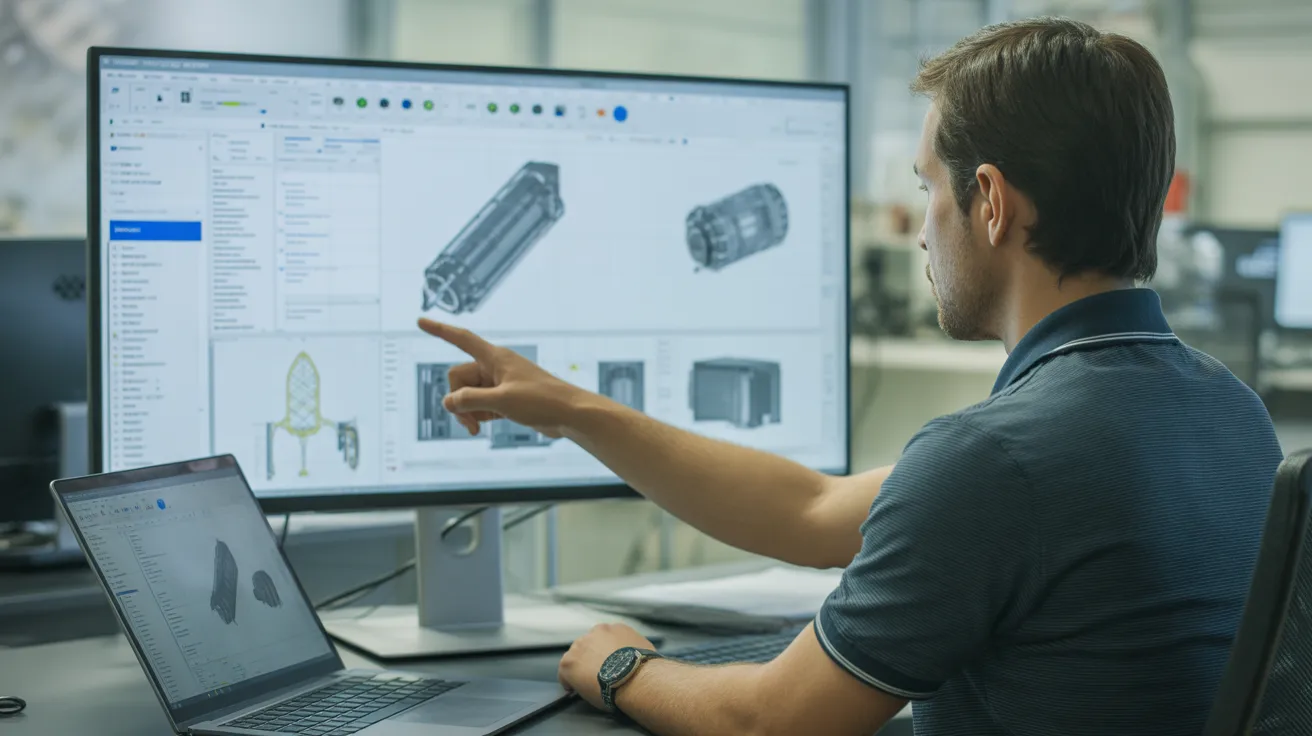
Onshape gives mechanical teams a strong cloud foundation: real version control, concurrent editing, and a single source of truth. AI for Onshape builds on that by understanding the content inside the documents.
The practical wins are finding existing parts by intent, checking new designs against standards before release, and keeping the reasoning searchable for the next engineer. Those are productivity and quality gains, not novelties.
If you are evaluating AI for Onshape, favor a tool that reads native geometry, cites the standard behind each flag, and searches your entire workspace. That is the difference between a chatbot and an assistant that actually understands your engineering.
You are deep in an Onshape document, building an assembly that has to mate with a part someone on another team modeled last quarter. You know it exists somewhere in the company workspace. You just cannot find it, so you model it again. Multiply that across a team and the cost of redundant work adds up fast.
AI for Onshape is the layer that sits on top of your cloud CAD data and answers questions an engineer would otherwise spend hours chasing. Onshape already solved version control and access. What AI adds is understanding: the ability to read your models, find existing parts by intent, and check a design against engineering rules. This guide explains what AI for Onshape actually does today, where it helps, and what to look for before you trust it.
What AI Adds on Top of Onshape
Onshape is a cloud-native CAD and data management platform. It handles concurrent editing, branching, and a single source of truth for every document. Those are real strengths, and AI does not replace them.
What AI adds is comprehension of the content inside those documents. A capable assistant reads the geometry of a part, not just its name, so it can find a similar component, summarize why a design was built a certain way, or flag a feature that breaks a manufacturing rule. The value shows up in three places: finding what already exists, checking what you just built, and capturing the reasoning so the next engineer does not start from zero. This is the same shift behind connecting AI to your engineering data.
The distinction matters because cloud storage alone does not make data useful. A workspace can hold thousands of documents and still feel empty to an engineer who cannot find the one part they need. Understanding the content, not just storing it, is what closes that gap.
IN PRACTICE
What Engineers Are Saying
"The geometry search has been invaluable, helping me find standard parts instead of designing new ones, saving a huge amount of time and effort. The search system is smart and CAD-aware. It was made by people who truly understand the struggles of mechanical engineers."
Eytan S., R&D Engineer
Finding Existing Parts by Intent, Not File Name
The most immediate win is search. In a growing Onshape workspace, parts pile up faster than anyone can tag them. Text search only works if someone filled in the properties correctly, which rarely happens under deadline.
AI part search lets an engineer describe what they need in plain language, or point to a shape, and get the closest matches across the whole workspace. This is where Leo AI fits: it reads native CAD geometry and connects to your data so it can surface a part that already passed production instead of a blank canvas. That directly serves part reuse, one of the highest value uses of engineering AI, and it ties into the broader problem of part reuse across the vault.
There is also a collaboration angle. Because Onshape is multi-tenant and cloud-based, an AI assistant connected to the workspace can serve the whole team from the same shared understanding of the data. A search one engineer runs benefits from parts every other engineer has built, without anyone exporting or syncing files.
Checking Designs Against Engineering Rules
Beyond search, AI can review a model while you work. It compares geometry and annotations against engineering standards and flags issues early: a wall thickness that will not mold, a tolerance tighter than the process can hold, a missing datum on a drawing.
Leo AI is trained on more than a million pages of engineering standards, so a flag points to the rule behind it rather than a vague warning. Catching these problems inside Onshape, before release, is far cheaper than catching them on the shop floor. It is the same logic that lets teams catch design mistakes before manufacturing.
Consider a wall thickness that drops below the molder's minimum on a single rib. In a busy review, that detail is easy to miss. An AI check that reads the geometry flags it immediately, with a note explaining why the thickness matters for the process, so the engineer can fix it before the part is ever quoted.
What to Look for in AI for Onshape
Not every tool labeled AI reads engineering the way an engineer does. Weigh a few things before you rely on one.
1. Native geometry understanding The tool should read the actual model, not just metadata or a screenshot, so it can match parts by shape and intent.
2. Standards grounding Recommendations should cite the standard behind each flag so you can trust and act on them.
3. Workspace connection It should work across your full Onshape data, not a single document, so search covers everything your team has built.
4. Explainable output Every answer should show its reasoning, which is what separates a useful assistant from a black box.
A tool that only reads document titles will save you little. One that reads geometry and your full workspace changes how fast your team moves.
Security deserves a direct question too. Before connecting any assistant to your Onshape data, confirm how the vendor handles that data, whether it respects your existing sharing permissions, and whether your models are ever used to train shared systems. A trustworthy tool keeps your engineering data private and under your control.
What This Looks Like in a Real Onshape Workflow
Picture a team of fifteen engineers sharing one Onshape enterprise account across three product lines. A designer needs a 40mm flanged bearing housing rated for a known load. Text search returns nothing useful because the original was named after a project code from two years ago.
With AI part search, the designer describes the housing in plain language, and the assistant returns the closest geometric matches across every document, including the old one. The designer reuses it, adjusts two features, and moves on in minutes instead of remodeling for an afternoon.
Across a quarter, that pattern repeats hundreds of times. Teams that measure it commonly find that a meaningful share of new parts already had close equivalents in the workspace. Recovering even part of that avoided work frees real engineering hours and reduces the long tail of near-duplicate components that inflate inventory and qualification costs.
The takeaway from the example is not the single part saved. It is the compounding effect: every reuse avoids a chain of downstream work, from modeling to checking to documenting. Over a year, a team that consistently finds and reuses existing parts moves measurably faster than one that quietly rebuilds the same components.
FAQ
Find Parts You Already Built
Stop remodeling parts that already exist in your Onshape workspace.
Leo AI reads your CAD geometry, searches your whole workspace by intent, and checks designs against standards so your team reuses work instead of repeating it.
Schedule a Demo →

#1 New AI Software Globally - G2 2026

Enterprise-grade security

Trusted by world-class engineering teams




