

AI for Engineering Knowledge Management
Best AI Tools for Creo: What Actually Works in 2026
Best AI Tools for Creo: What Actually Works in 2026
Best AI Tools for Creo: What Actually Works in 2026
A practical guide to the best AI tools for PTC Creo in 2026: vault search, generative design, simulation, and what PTC has actually shipped vs. promised.
·
⏱
9 min read

Michelle Ben-David
Product Specialist, Leo AI
Product Specialist, Leo AI
Mechanical Engineer, B.Sc. · Ex-Officer, Elite Tech Unit · Aerospace & Defence · Medical Devices
Mechanical Engineer, B.Sc. · Ex-Officer, Elite Tech Unit · Aerospace & Defence · Medical Devices
Michelle Ben-David is a mechanical engineer and Technion graduate. She served in an IDF elite technology and intelligence unit, where she developed multidisciplinary systems integrating mechanics, electronics, and advanced algorithms. Her engineering background spans robotics, medical devices, and automotive systems.
Contents
BOTTOM LINE
FAQ - Everything Engineers Need to Know
Creo engineers face the same AI questions every engineering team faces right now: which tools are real, which are still on a roadmap, and where should you actually invest time learning something new? The Creo ecosystem has more mature AI tooling than most CAD platforms, but it also has a gap that no amount of PTC marketing addresses: the inability to search your Windchill vault by design intent instead of file name.
This guide covers what's actually available for Creo users in 2026, across four categories: knowledge and search AI, generative design AI, simulation AI, and materials AI.
The Four Categories of AI for Creo
Not all AI for Creo solves the same problem. Understanding the categories prevents you from expecting the wrong thing from the wrong tool.
Search and knowledge AI helps engineers find existing parts, designs, and answers across your organization's vault. It addresses the retrieval problem: most engineering teams spend 35% of their time recreating work that already exists somewhere in Windchill or shared drives but cannot be found efficiently. This category delivers the largest productivity return for most Creo environments.
Generative design AI helps engineers create optimized geometry for weight, stiffness, and manufacturing constraints. It accelerates blank-canvas design when you have a design space, loads, and constraints defined. Creo has shipped mature tools here.
Simulation AI speeds up the loop between design iteration and validated results. Creo has strong native simulation capabilities with Creo Simulation Live, and Ansys offers a deeper native plugin.
Materials AI supports material selection and substitution decisions with curated databases and comparison tools.
Tool | Category | Works Natively with Creo | Available Today
Leo AI | Search and knowledge AI | Creo, Windchill, STEP, IGES | Yes
Creo GTO/GDX | Generative design AI | Native in Creo 7+ | Yes (separate license)
Creo Simulation Live | Simulation | Native in Creo | Yes
Ansys Creo Plugin | Simulation | Native plugin | Yes
Creo AI Assistant | Error troubleshooting | Native in Creo+ 13 | Beta
Windchill AI Parts Rationalization | Duplicate detection | Windchill only | Yes (Jan 2026)
nTopology | Topology optimization | File-based (Creo .prt/.asm) | Yes
Granta Selector | Materials AI | Ansys/Creo plugin | Yes
The Four Categories of AI for Creo
Not all AI for Creo solves the same problem. Understanding the categories prevents you from expecting the wrong thing from the wrong tool.
Search and knowledge AI helps engineers find existing parts, designs, and answers across your organization's vault. It addresses the retrieval problem: most engineering teams spend 35% of their time recreating work that already exists somewhere in Windchill or shared drives but cannot be found efficiently. This category delivers the largest productivity return for most Creo environments.
Generative design AI helps engineers create optimized geometry for weight, stiffness, and manufacturing constraints. It accelerates blank-canvas design when you have a design space, loads, and constraints defined. Creo has shipped mature tools here.
Simulation AI speeds up the loop between design iteration and validated results. Creo has strong native simulation capabilities with Creo Simulation Live, and Ansys offers a deeper native plugin.
Materials AI supports material selection and substitution decisions with curated databases and comparison tools.
Tool | Category | Works Natively with Creo | Available Today
Leo AI | Search and knowledge AI | Creo, Windchill, STEP, IGES | Yes
Creo GTO/GDX | Generative design AI | Native in Creo 7+ | Yes (separate license)
Creo Simulation Live | Simulation | Native in Creo | Yes
Ansys Creo Plugin | Simulation | Native plugin | Yes
Creo AI Assistant | Error troubleshooting | Native in Creo+ 13 | Beta
Windchill AI Parts Rationalization | Duplicate detection | Windchill only | Yes (Jan 2026)
nTopology | Topology optimization | File-based (Creo .prt/.asm) | Yes
Granta Selector | Materials AI | Ansys/Creo plugin | Yes
IN PRACTICE
What Engineers Are Saying
"Before Leo, when we had an engineering question, we outsourced it. Slow communication — a few days per question, sometimes more. And thousands of dollars per project just for those consultations. Now we get answers in a few minutes instead of a few days."
— Harel Oberman, CEO, Oberman Industrial Designs
Leo AI: Intelligent Search Across Your Creo and Windchill Environment
For most Creo teams, the biggest daily productivity loss is not the time it takes to design a part. It is the time spent finding out whether a part already exists, what decisions were made in the 2021 version, and what the right material is for a given load condition. Engineers in a typical Creo/Windchill environment spend 24% of their time searching for information that is already somewhere in their organization's files.
Leo AI solves this with a patented Large Mechanical Model (LMM), the only AI that natively reads CAD geometry (B-rep) rather than just file names, revision numbers, or metadata. An engineer types a description in plain language, "titanium bracket rated for 200N loads in a 150-degree environment" or "fastener pattern we used on the 2022 medical housing," and Leo returns ranked matches from your vault in under 10 seconds. This is not keyword matching. Leo understands the actual geometry and design properties of your files.
Beyond part search, Leo functions as an engineering knowledge agent for your whole Creo environment. Need to know why a tolerance was tightened on a specific revision? Leo finds the drawing, the engineering change order, and the note explaining the decision. Need a calculation with a cited reference standard rather than a forum post? Leo runs the calculation in transparent Python and cites the exact page of the relevant ASME or ISO standard.
The documented impact is significant. Engineering teams using Leo report saving 8.3 hours per engineer per week previously lost to search, re-research, and rebuilding designs that already exist. Yoni Nir, program manager at HP Indigo: "Engineers routinely spend 3 to 5 hours searching for a single part, and most of the time they give up and create a new one instead, bloating the BOM and adding avoidable design cycles. With Leo, that search takes minutes." At Sketch Design, a UK engineering consultancy, work that previously required weeks of foundational research was compressed to hours: "Days, weeks, to minutes. It has paid off massively for us."
Leo integrates directly with PTC Creo, Windchill, SolidWorks PDM, Siemens Teamcenter, and standard file directories. No data reorganization required. A one-hour IT session connects Leo to your existing environment. All data is indexed in an isolated, encrypted environment: SOC 2 Type II certified, GDPR compliant, penetration-test approved. Your IP is never used to train any AI model. Leo is in use at HP, NVIDIA, Intel, Scania, and Elbit Systems.
Leo AI: Intelligent Search Across Your Creo and Windchill Environment
For most Creo teams, the biggest daily productivity loss is not the time it takes to design a part. It is the time spent finding out whether a part already exists, what decisions were made in the 2021 version, and what the right material is for a given load condition. Engineers in a typical Creo/Windchill environment spend 24% of their time searching for information that is already somewhere in their organization's files.
Leo AI solves this with a patented Large Mechanical Model (LMM), the only AI that natively reads CAD geometry (B-rep) rather than just file names, revision numbers, or metadata. An engineer types a description in plain language, "titanium bracket rated for 200N loads in a 150-degree environment" or "fastener pattern we used on the 2022 medical housing," and Leo returns ranked matches from your vault in under 10 seconds. This is not keyword matching. Leo understands the actual geometry and design properties of your files.
Beyond part search, Leo functions as an engineering knowledge agent for your whole Creo environment. Need to know why a tolerance was tightened on a specific revision? Leo finds the drawing, the engineering change order, and the note explaining the decision. Need a calculation with a cited reference standard rather than a forum post? Leo runs the calculation in transparent Python and cites the exact page of the relevant ASME or ISO standard.
The documented impact is significant. Engineering teams using Leo report saving 8.3 hours per engineer per week previously lost to search, re-research, and rebuilding designs that already exist. Yoni Nir, program manager at HP Indigo: "Engineers routinely spend 3 to 5 hours searching for a single part, and most of the time they give up and create a new one instead, bloating the BOM and adding avoidable design cycles. With Leo, that search takes minutes." At Sketch Design, a UK engineering consultancy, work that previously required weeks of foundational research was compressed to hours: "Days, weeks, to minutes. It has paid off massively for us."
Leo integrates directly with PTC Creo, Windchill, SolidWorks PDM, Siemens Teamcenter, and standard file directories. No data reorganization required. A one-hour IT session connects Leo to your existing environment. All data is indexed in an isolated, encrypted environment: SOC 2 Type II certified, GDPR compliant, penetration-test approved. Your IP is never used to train any AI model. Leo is in use at HP, NVIDIA, Intel, Scania, and Elbit Systems.
PTC Creo's Native AI: What Actually Ships vs. What Was Announced
PTC has been investing in AI across its product portfolio, and Creo has meaningful shipped AI capabilities. It is also worth being direct about what is and is not available today.
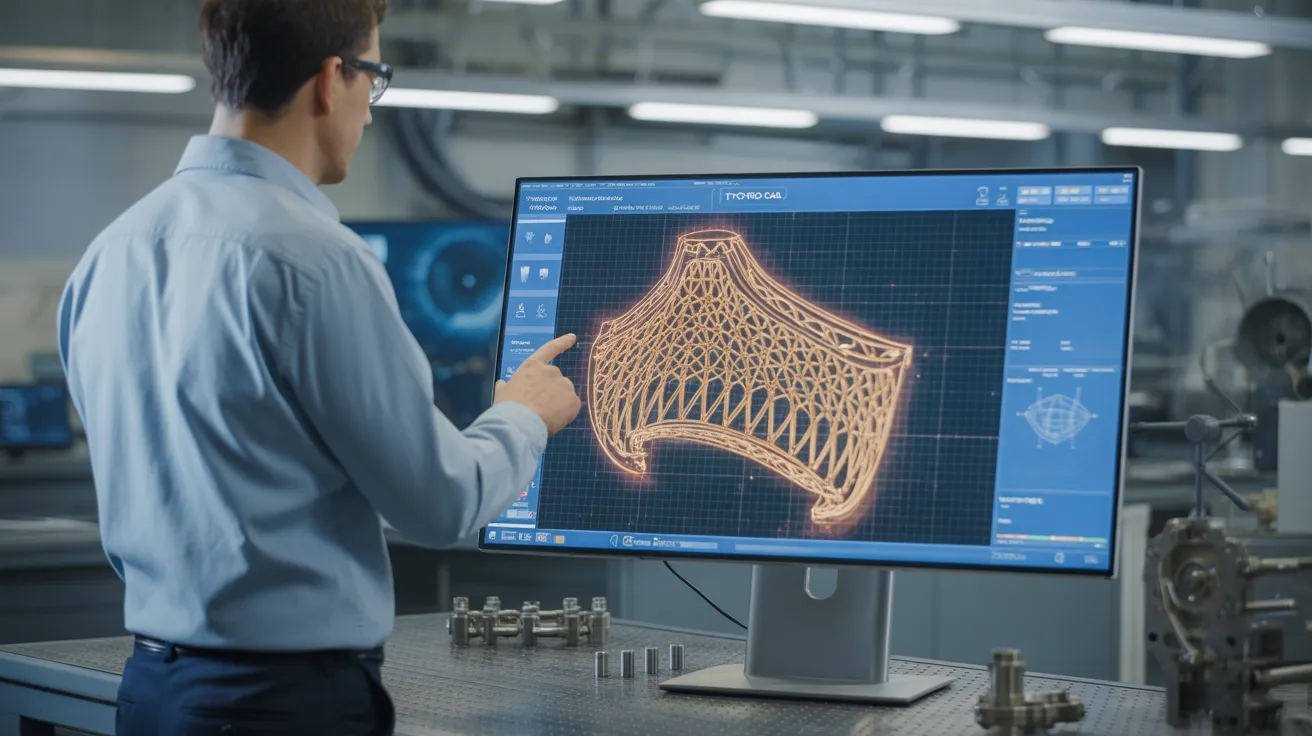
Creo Generative Topology Optimization (GTO) and Generative Design Extension (GDX): These are mature, real tools available since Creo 7.0. GTO is built directly into Creo: you define a design space, apply loads and constraints, specify protected regions and manufacturing method (machined, casting, additive), and the AI solver generates optimized geometry. The output lives in Creo's parametric history tree and is editable. GDX extends this with a cloud-based engine that generates multiple design alternatives across different material and manufacturing constraint combinations. Creo 12 added thermal physics to the optimization engine. These tools require a separate Generative Design license option, but they are real, production-grade capabilities used in aerospace and automotive programs.
Creo Simulation Live (CSL): This is real-time FEA powered by the Ansys Discovery simulation engine, embedded directly in Creo. As you modify geometry, stress, thermal, and modal results update in seconds without mesh setup. It is not AI in the machine learning sense, but it fundamentally changes the simulation workflow by eliminating the traditional setup-mesh-solve cycle for early-stage design feedback. CSL+ adds assembly-level simulation and more boundary condition options.
Creo AI Assistant (Beta): Available in Creo+ 13.0 (September 2025, SaaS subscription only), this provides AI-assisted troubleshooting for specific Creo error messages. When an error occurs, the AI Assistant surfaces relevant technical support articles. The scope is currently narrow: it is an error-resolution assistant, not a design copilot. PTC's roadmap describes broader capabilities, but the current shipped product addresses error troubleshooting specifically.
Windchill AI Parts Rationalization: Launched January 2026, this Windchill module detects duplicate parts, identifies redundant components across the BOM, and can flag duplicates earlier in change workflows. It addresses part proliferation, a real cost problem in mature Creo environments. It is not a general search or knowledge retrieval tool, and it operates at the PLM level rather than inside Creo itself.
PTC Creo's Native AI: What Actually Ships vs. What Was Announced
PTC has been investing in AI across its product portfolio, and Creo has meaningful shipped AI capabilities. It is also worth being direct about what is and is not available today.
Creo Generative Topology Optimization (GTO) and Generative Design Extension (GDX): These are mature, real tools available since Creo 7.0. GTO is built directly into Creo: you define a design space, apply loads and constraints, specify protected regions and manufacturing method (machined, casting, additive), and the AI solver generates optimized geometry. The output lives in Creo's parametric history tree and is editable. GDX extends this with a cloud-based engine that generates multiple design alternatives across different material and manufacturing constraint combinations. Creo 12 added thermal physics to the optimization engine. These tools require a separate Generative Design license option, but they are real, production-grade capabilities used in aerospace and automotive programs.
Creo Simulation Live (CSL): This is real-time FEA powered by the Ansys Discovery simulation engine, embedded directly in Creo. As you modify geometry, stress, thermal, and modal results update in seconds without mesh setup. It is not AI in the machine learning sense, but it fundamentally changes the simulation workflow by eliminating the traditional setup-mesh-solve cycle for early-stage design feedback. CSL+ adds assembly-level simulation and more boundary condition options.
Creo AI Assistant (Beta): Available in Creo+ 13.0 (September 2025, SaaS subscription only), this provides AI-assisted troubleshooting for specific Creo error messages. When an error occurs, the AI Assistant surfaces relevant technical support articles. The scope is currently narrow: it is an error-resolution assistant, not a design copilot. PTC's roadmap describes broader capabilities, but the current shipped product addresses error troubleshooting specifically.
Windchill AI Parts Rationalization: Launched January 2026, this Windchill module detects duplicate parts, identifies redundant components across the BOM, and can flag duplicates earlier in change workflows. It addresses part proliferation, a real cost problem in mature Creo environments. It is not a general search or knowledge retrieval tool, and it operates at the PLM level rather than inside Creo itself.
Simulation AI for Creo: Ansys
For teams that need simulation depth beyond Creo Simulation Live, Ansys offers a native Creo plugin rather than requiring geometry export.
The Ansys Creo plugin integrates directly with Creo through Ansys Workbench and is configured via the Creo config.pro file. This means simulation workflows run natively without needing to export to STEP or Parasolid first. The integration supports structural, thermal, and modal analysis, and Ansys 2025 R1 maintains compatibility with current Creo versions.
Ansys has added AI capabilities to its simulation suite (Ansys AI+), including surrogate modeling that predicts simulation outcomes from prior runs, AI-accelerated meshing, and boundary condition suggestions based on geometry patterns. For teams running high-fidelity FEA across many design iterations, these capabilities reduce compute time and analyst setup time meaningfully.
Creo Simulation Live handles early-stage rapid feedback. Ansys handles production-grade simulation where accuracy requirements are higher and the results feed directly into regulatory submissions or manufacturing specifications.
Topology Optimization Beyond Creo GTO: nTopology
For teams designing advanced lattice structures or complex topology-optimized geometries that go beyond what Creo GTO produces, nTopology is the specialist tool of choice.
nTopology supports Creo's native .prt and .asm file formats directly, so there is no STEP export step required. The workflow: import Creo geometry into nTopology, apply lattice generation or field-driven topology optimization, export the result back into Creo. nTopology's field-driven approach produces organic, continuously variable geometries that Creo's built-in tools cannot generate, which matters primarily for additive manufacturing in aerospace, medical devices, and motorsport.
This is a specialist tool. If your primary use cases are structural parts with standard manufacturing methods, Creo GTO covers the topology optimization workflow. nTopology becomes relevant when you are doing additive manufacturing with complex geometric requirements or lightweighting programs with volume and performance targets that standard FEA-guided design cannot reach.
Keep Reading: AI for Mechanical Engineers Guide · SolidWorks vs CATIA vs Creo · CAD Software for Mechanical Engineering · DFM Analysis Tools 2026
Simulation AI for Creo: Ansys
For teams that need simulation depth beyond Creo Simulation Live, Ansys offers a native Creo plugin rather than requiring geometry export.
The Ansys Creo plugin integrates directly with Creo through Ansys Workbench and is configured via the Creo config.pro file. This means simulation workflows run natively without needing to export to STEP or Parasolid first. The integration supports structural, thermal, and modal analysis, and Ansys 2025 R1 maintains compatibility with current Creo versions.
Ansys has added AI capabilities to its simulation suite (Ansys AI+), including surrogate modeling that predicts simulation outcomes from prior runs, AI-accelerated meshing, and boundary condition suggestions based on geometry patterns. For teams running high-fidelity FEA across many design iterations, these capabilities reduce compute time and analyst setup time meaningfully.
Creo Simulation Live handles early-stage rapid feedback. Ansys handles production-grade simulation where accuracy requirements are higher and the results feed directly into regulatory submissions or manufacturing specifications.
Topology Optimization Beyond Creo GTO: nTopology
For teams designing advanced lattice structures or complex topology-optimized geometries that go beyond what Creo GTO produces, nTopology is the specialist tool of choice.
nTopology supports Creo's native .prt and .asm file formats directly, so there is no STEP export step required. The workflow: import Creo geometry into nTopology, apply lattice generation or field-driven topology optimization, export the result back into Creo. nTopology's field-driven approach produces organic, continuously variable geometries that Creo's built-in tools cannot generate, which matters primarily for additive manufacturing in aerospace, medical devices, and motorsport.
This is a specialist tool. If your primary use cases are structural parts with standard manufacturing methods, Creo GTO covers the topology optimization workflow. nTopology becomes relevant when you are doing additive manufacturing with complex geometric requirements or lightweighting programs with volume and performance targets that standard FEA-guided design cannot reach.
Keep Reading: AI for Mechanical Engineers Guide · SolidWorks vs CATIA vs Creo · CAD Software for Mechanical Engineering · DFM Analysis Tools 2026
FAQ
Stop Wasting Hours on Manual CAD Search
Leo AI turns your existing vault into a searchable knowledge base.
Leo AI connects to your PDM and makes every part findable by description in under 10 seconds. <a href="/onboarding">Try Leo Today</a>
Schedule a Demo →

#1 New AI Software Globally - G2 2026

Enterprise-grade security

Trusted by world-class engineering teams
Recommended

Subscribe to our engineering newsletter
Be the first to know about Leo's newest capabilities and get practical tips to boost your engineering.
Need help? Join the Leo AI Community
Connect with other engineers, get answers from our team, and request features.



#1 New Software
Globally
All Industries
#12 AI Tool
Worldwide
G2 2026


© 2026 Leo AI, Inc.
Be the first to know about Leo's newest capabilities and get practical tips to boost your engineering.
Connect with other engineers, get answers from our team, and request features.
#1 New Software
Globally
All Industries
#12 AI Tool
Worldwide
G2 2026
© 2026 Leo AI, Inc.
Subscribe to our engineering newsletter
Be the first to know about Leo's newest capabilities and get practical tips to boost your engineering.
Need help? Join the Leo AI Community
Connect with other engineers, get answers from our team, and request features.
#1 New Software
Globally
All Industries
#12 AI Tool
Worldwide
G2 2026
© 2026 Leo AI, Inc.
Subscribe to our engineering newsletter
Be the first to know about Leo's newest capabilities and get practical tips to boost your engineering.
Need help? Join the Leo AI Community
Connect with other engineers, get answers from our team, and request features.
#1 New Software
Globally
All Industries
#12 AI Tool
Worldwide
G2 2026
© 2026 Leo AI, Inc.